
See ShootCal in action
A photography calendar for golden-hour timing, clients, booking, invoices, and contracts—with native Apple and Android apps, plus a full web app on Windows and any modern browser.
Scheduling
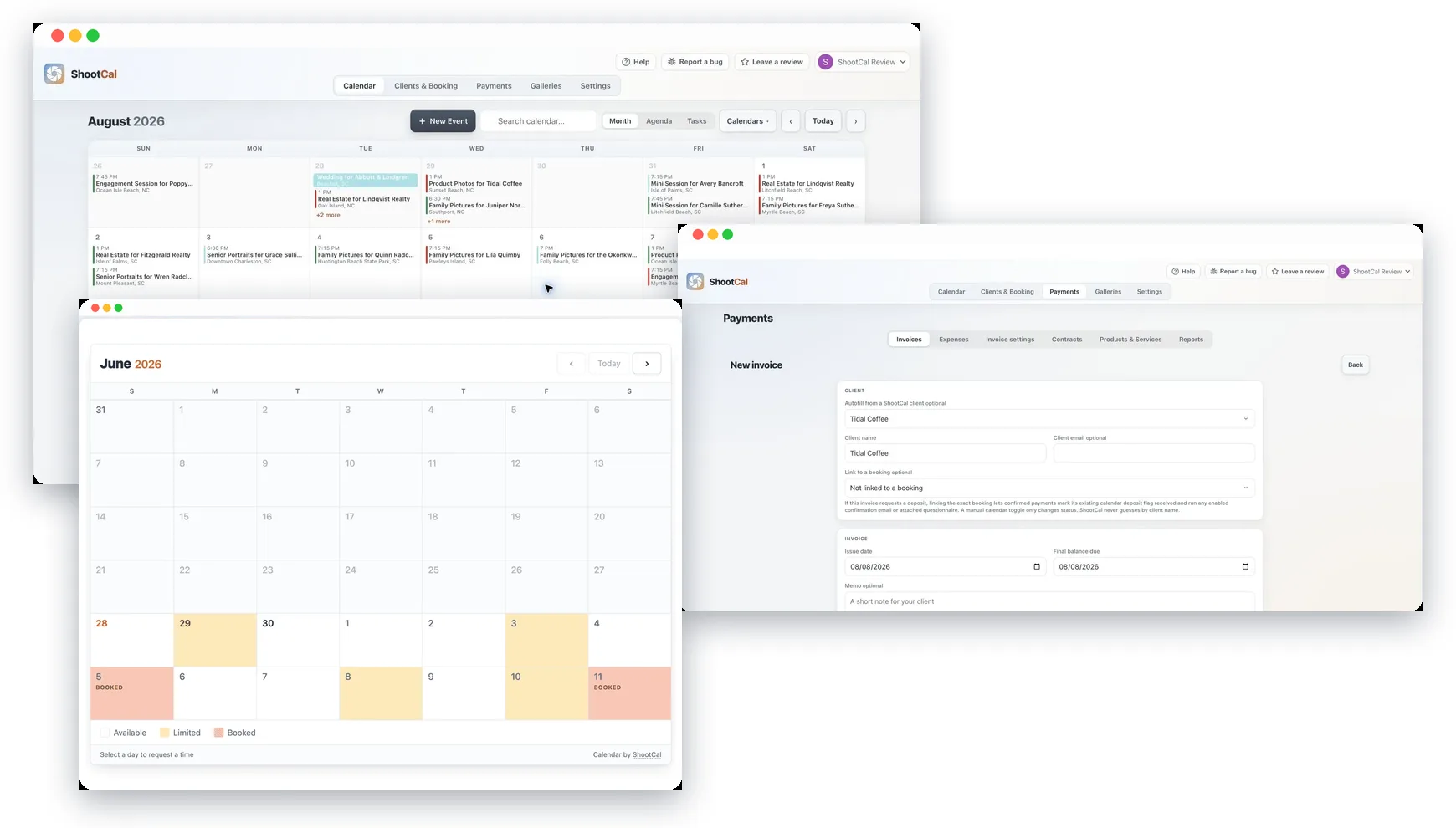
Your calendar, on every device
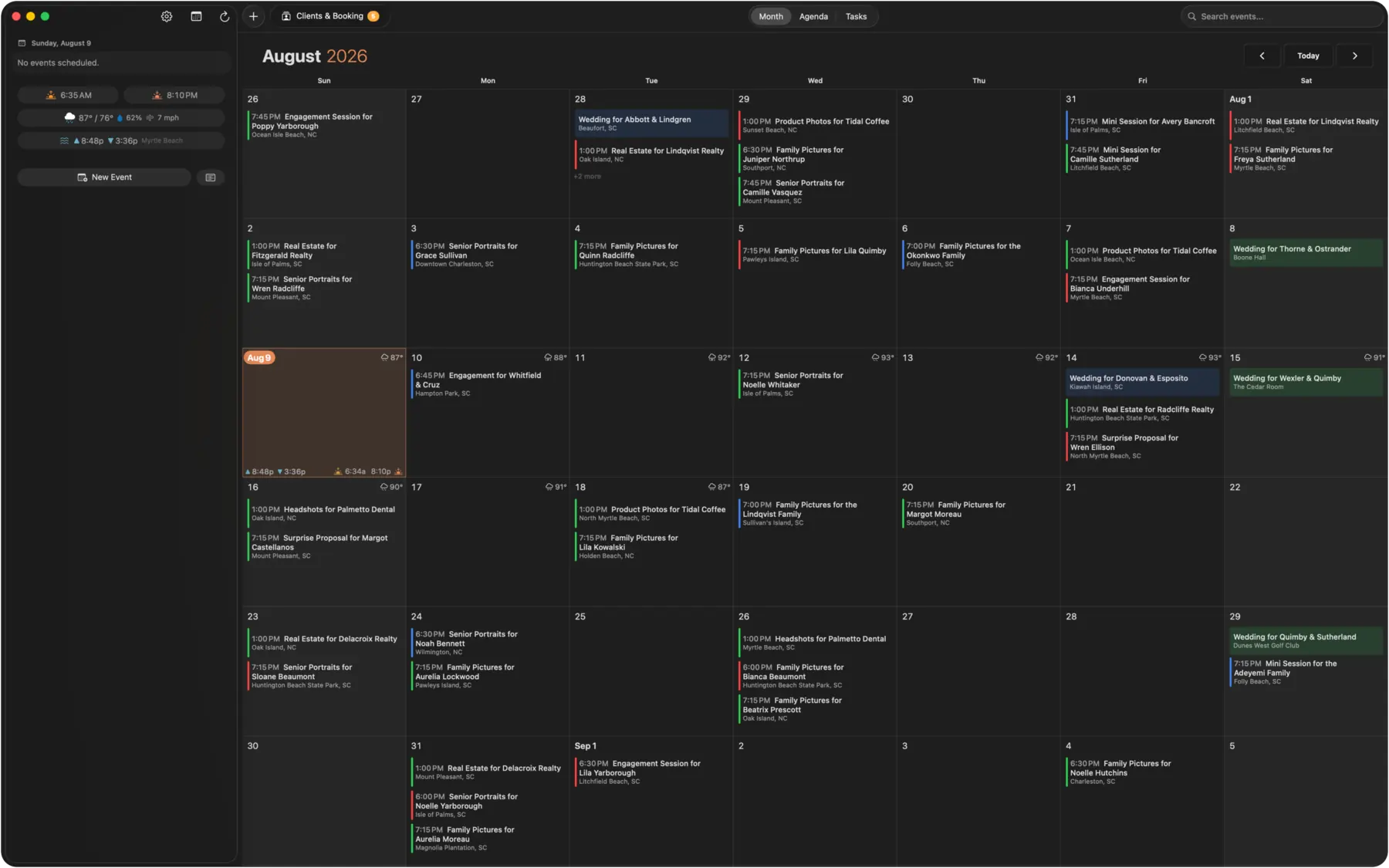
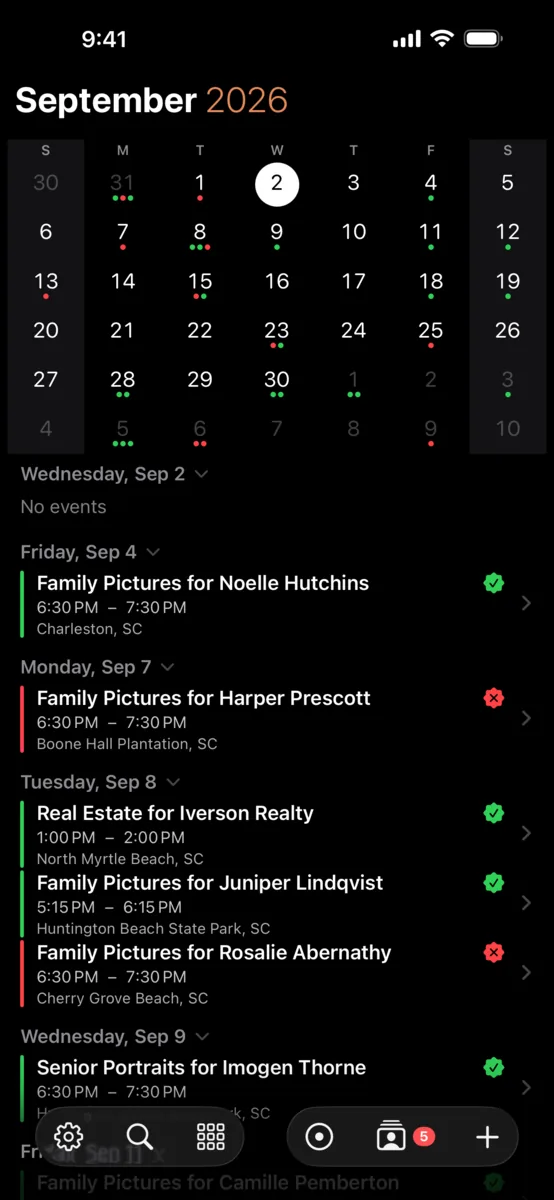
A real native app on Mac and iPhone, plus a full web app, all in sync on top of the Google Calendar you already use. Month grid, agenda, weather and sun detail, professional invoices, and color-coded deposits. The native Android app is available on Google Play. Nothing new to learn and nothing to migrate.
New · Native Android
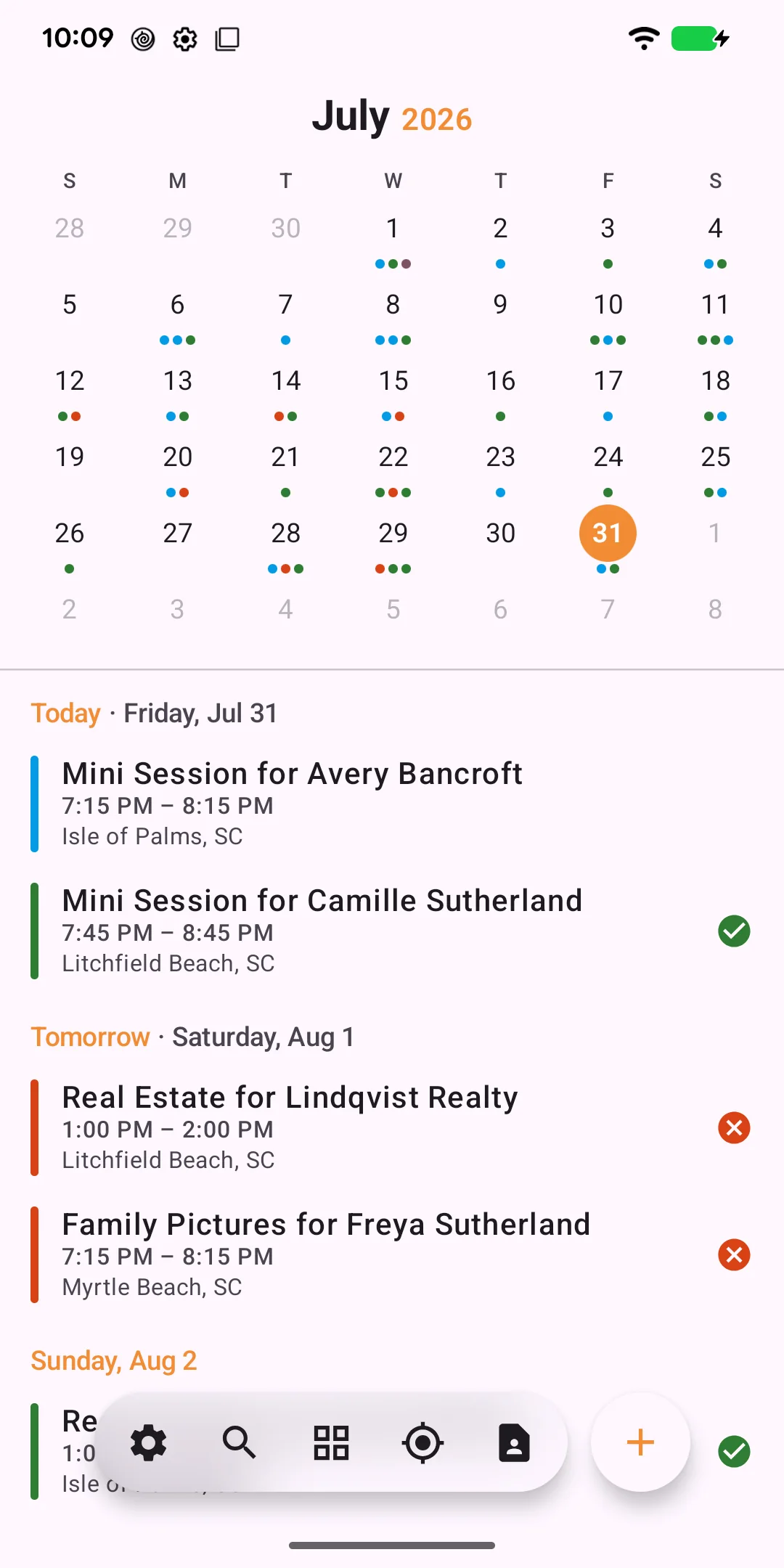
A true Android app, built for the photography day
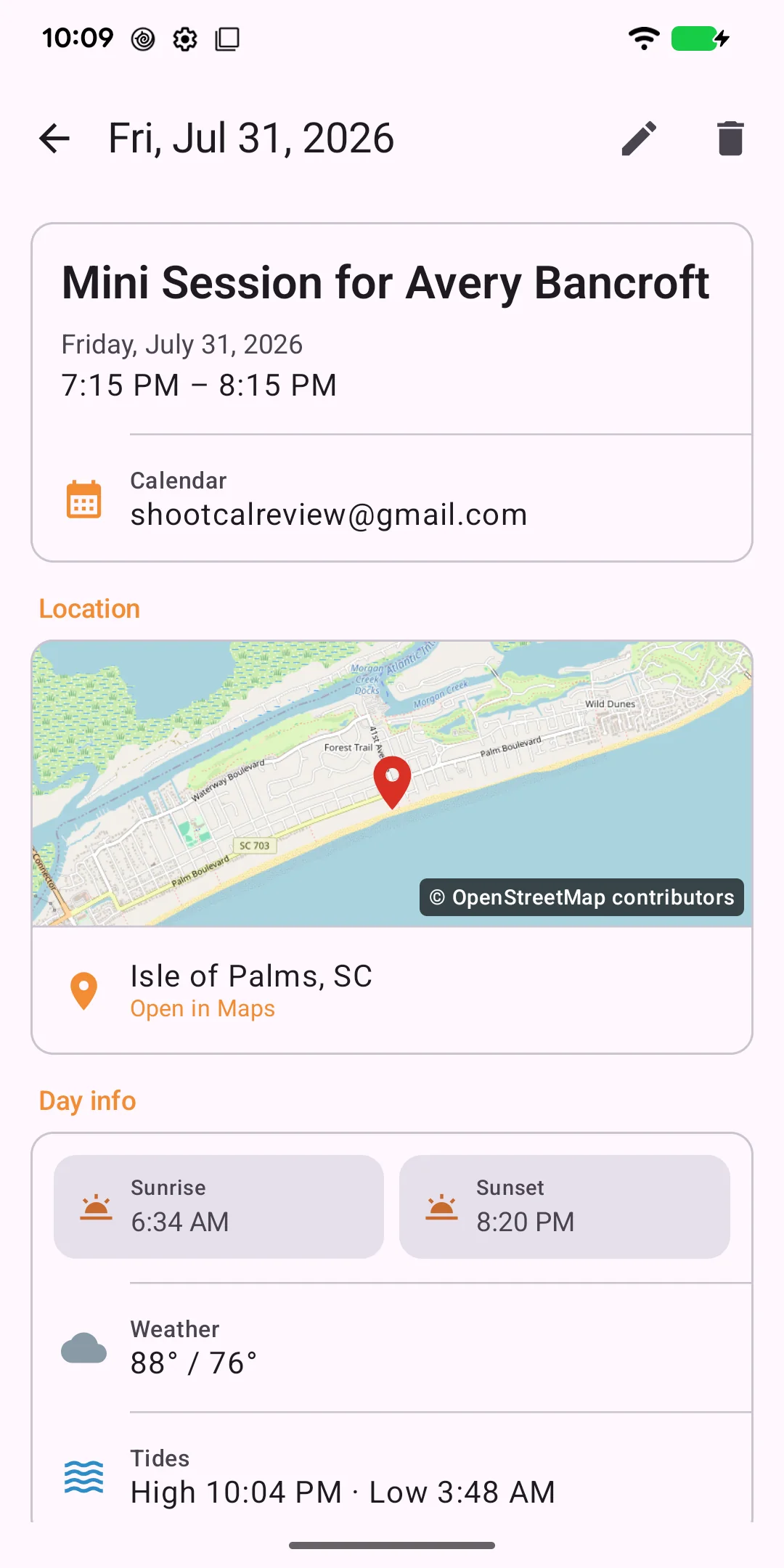
The native Android app is available now on Google Play, with a photography-first agenda and session details that keep golden hour, tides, weather, and payment status close at hand. The full web app works on Android too.
The native agenda brings the month and the next shoots into one clear view.
Golden hour, built into every day
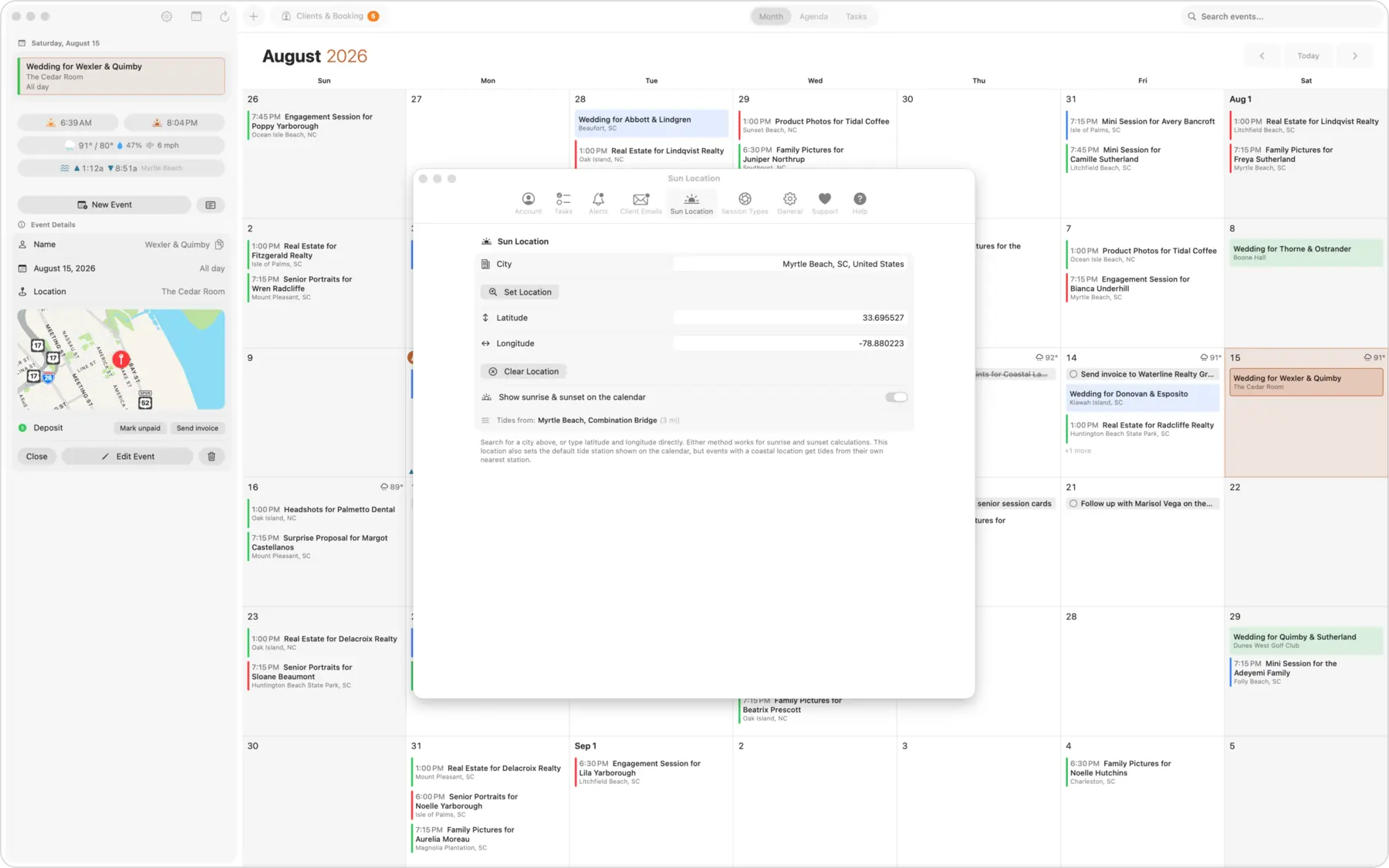
ShootCal knows the sunrise and sunset for your location and shows them right on the calendar. New sessions anchor to golden hour automatically, so you spend less time doing math and more time shooting. Tide times come along too, handy for beach and coastal work.
Add a session by just typing it
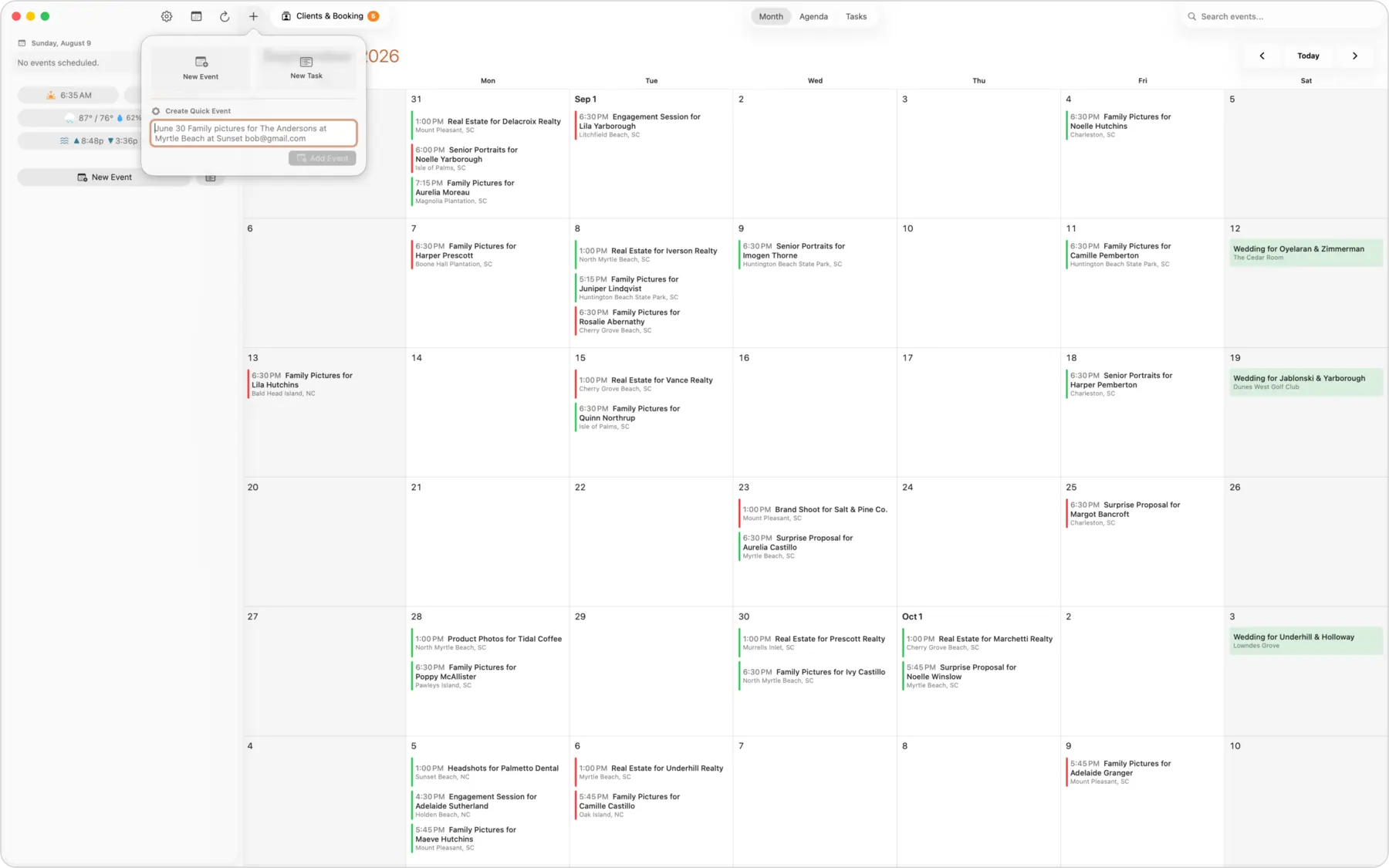
Type “Family shoot for the Andersons at Folly Beach Saturday at sunset” and ShootCal fills in the date, time, location, and client for you. On iPhone it uses on-device parsing, so it is instant.
Session types that schedule themselves
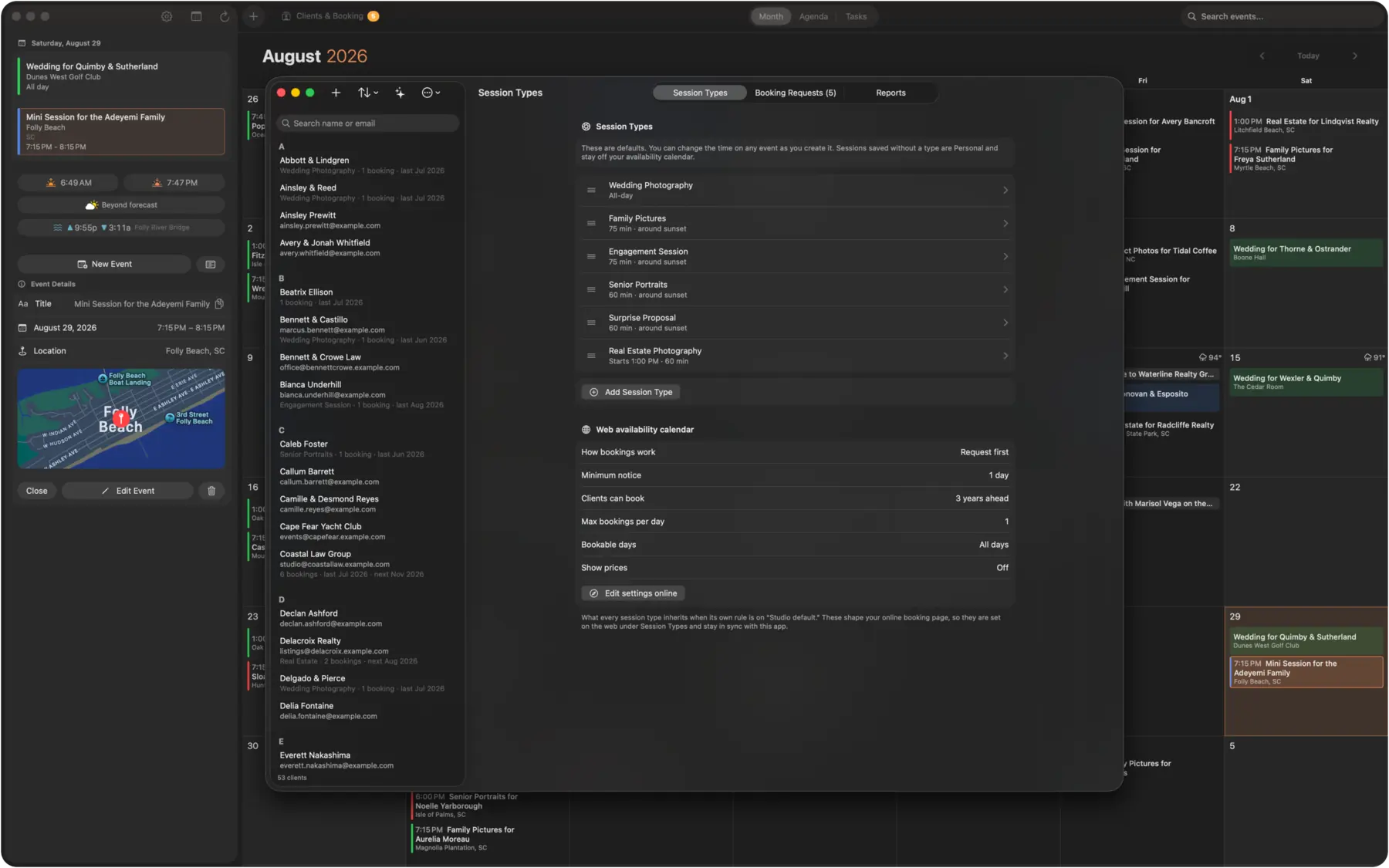
Set up your shoot types once, each with its own length, pricing, and scheduling rule. Golden-hour sessions cascade around sunset, studio sessions follow your studio hours, and per-day limits keep you from overbooking.
Clients & Booking
Every client, organized
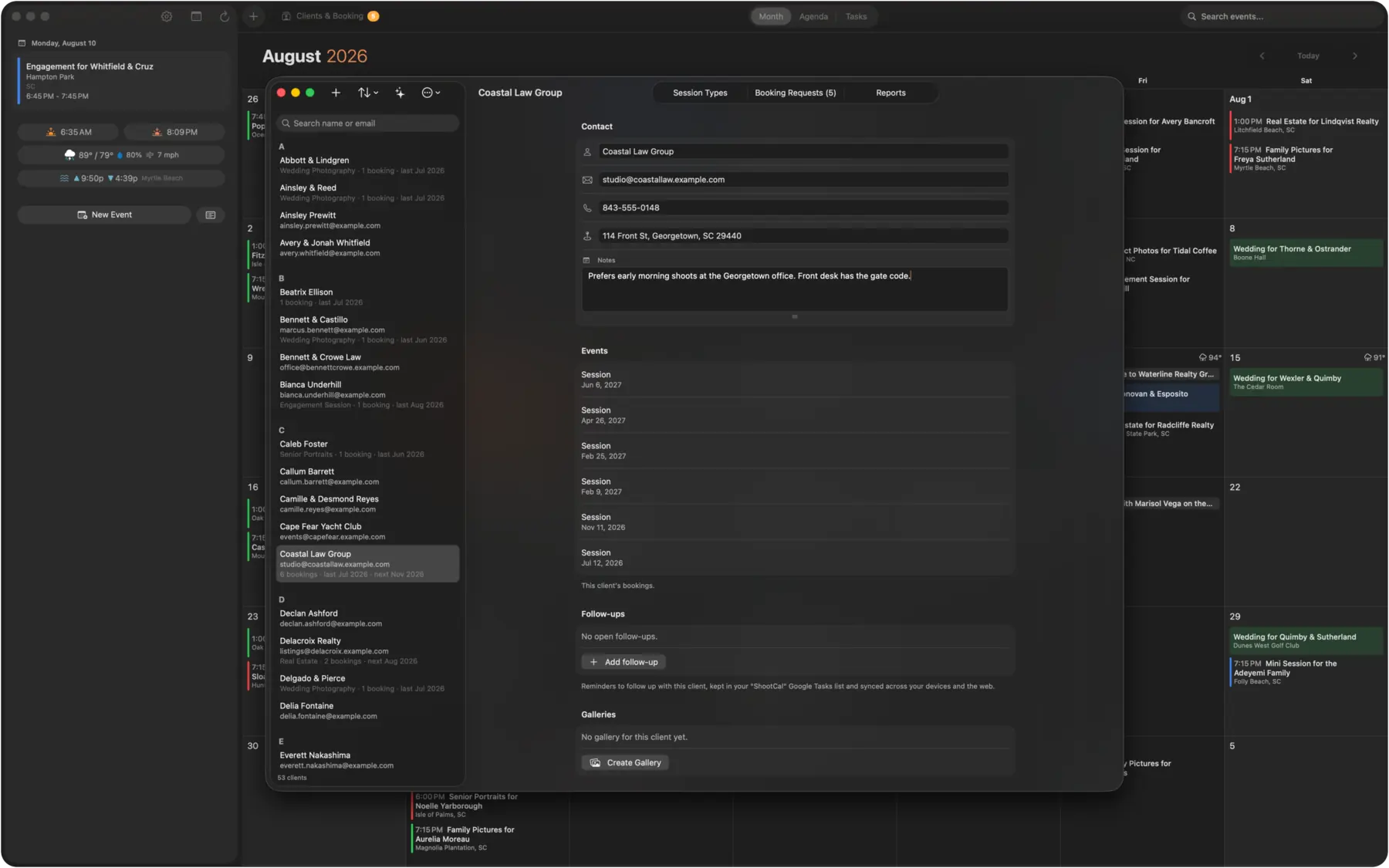
Keep contacts, session history, and last-booked dates in one place, linked to your Google Contacts. See who is booked, who is due for a follow-up, and how many sessions each client has had.
Questionnaires that collect the details before the shoot
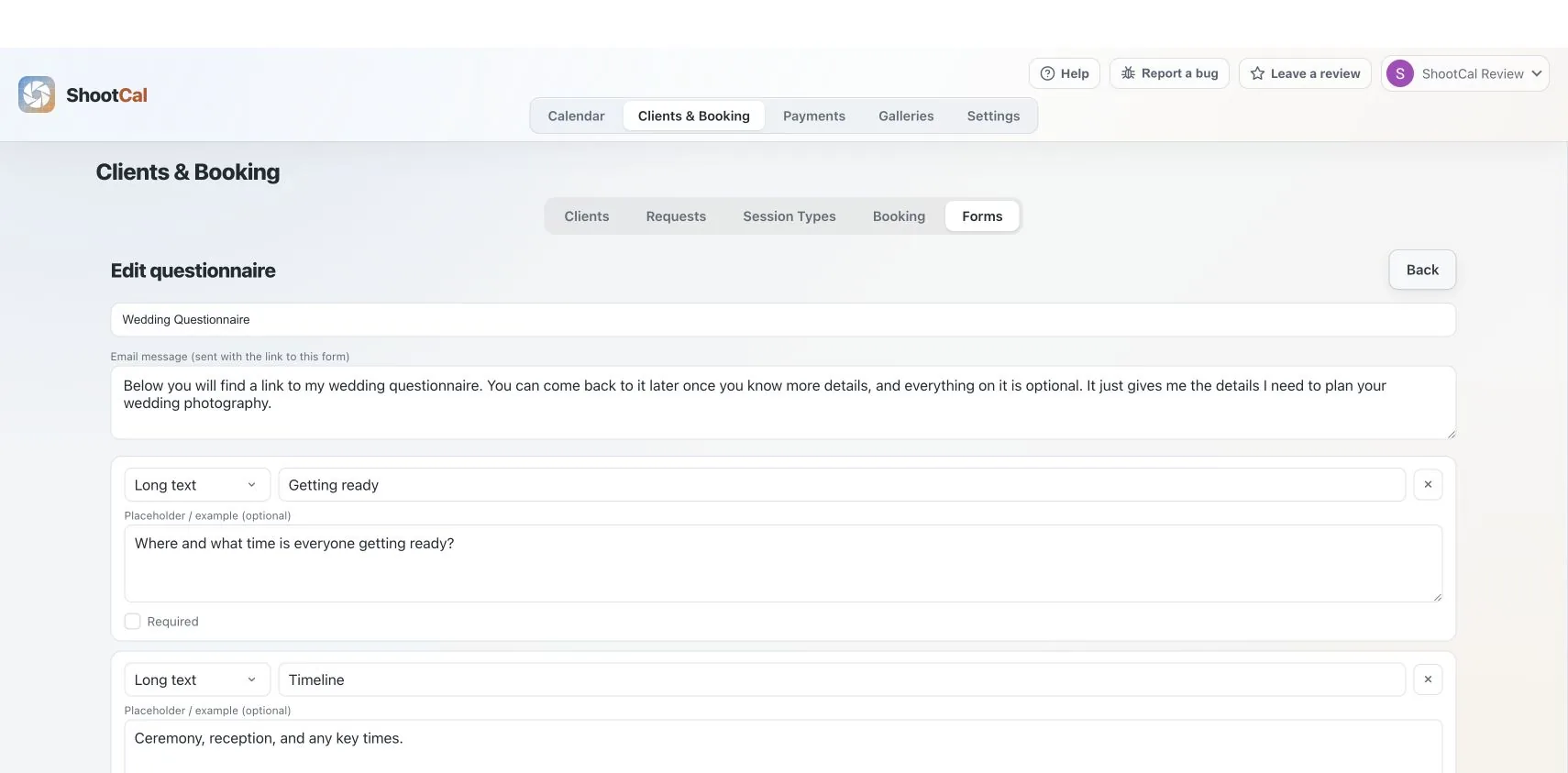
Build reusable questionnaires for weddings, portraits, real estate, or any session type. Add the questions you need, send a simple client link, and keep their answers with the job so timelines, locations, and special requests are ready when you need them. Read the questionnaire guide →
Payments & Contracts
Professional invoices, included free
Keep the whole job on one clear invoice, from the deposit through the final balance. ShootCal is designed for practical studio invoicing and reporting, while full bookkeeping and tax filing stay with your accounting tools and tax professional.
Start from your saved packages
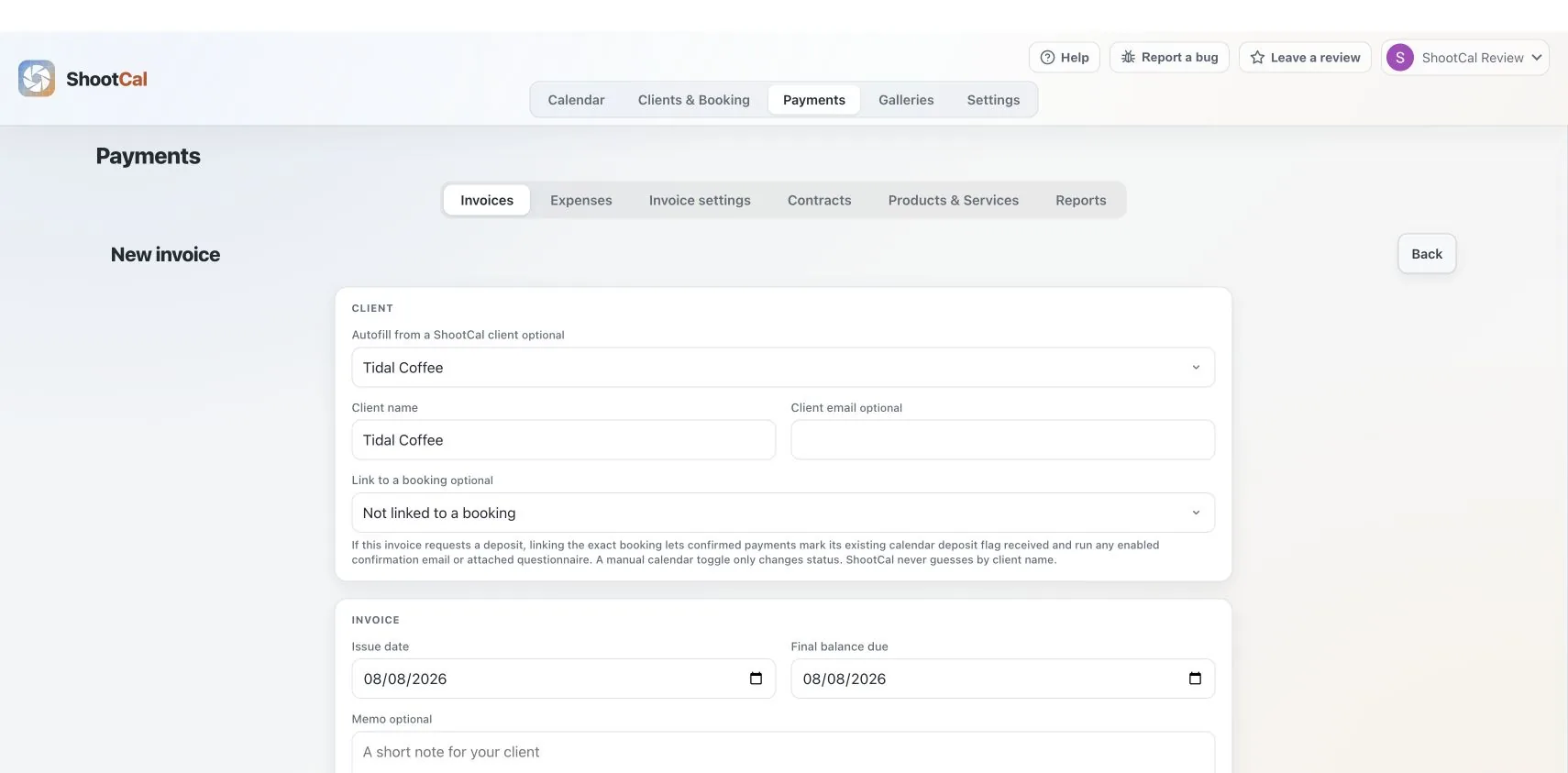
Choose a saved package or add products and services. ShootCal creates one full-job invoice and can use an optional deposit amount before the remaining balance is due.
Sales tax when it applies
Save the sales-tax rates you use and apply the right one to an invoice. You remain responsible for deciding what is taxable and for filing and remitting tax; ShootCal does not do that for you.
Stripe cards and manual options
Accept Stripe card payments or offer Zelle, Cash App, Venmo, check, cash, and custom manual methods. ShootCal adds no payment or platform fee to Stripe invoice payments; Stripe’s standard processing fees still apply.
Payments, refunds, reports, and export
Track payments and refunds, review cash-basis income and sales-tax reports, and export the records for accounting or tax work. Expenses, reconciliation, tax filing, and remittance still belong in your accounting system and with your tax professional.
Reusable packages
Save the work you sell once
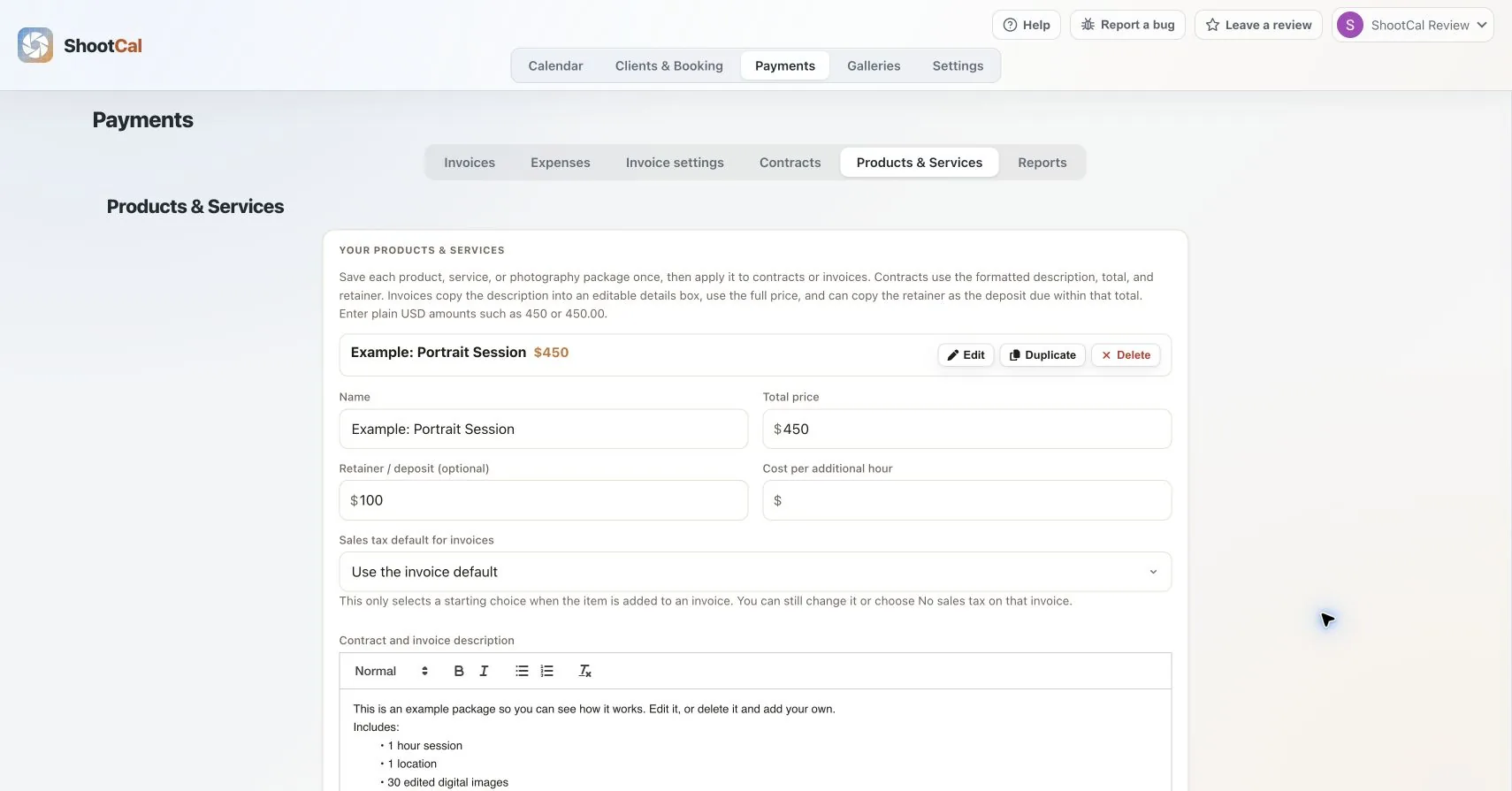
Save a photography package, product, or service with its price, description, optional retainer, sales-tax starting choice, and additional-hour rate. Select it when creating an invoice or contract, then adjust the client copy without changing your saved original. Read the invoice guide →
Deposit tracking, color-coded
Toggle any session as deposit received and it color-codes green on both ShootCal and your Google Calendar, red when nothing is in yet. Your paid and pending bookings are clear at a glance, on every device, without a spreadsheet.
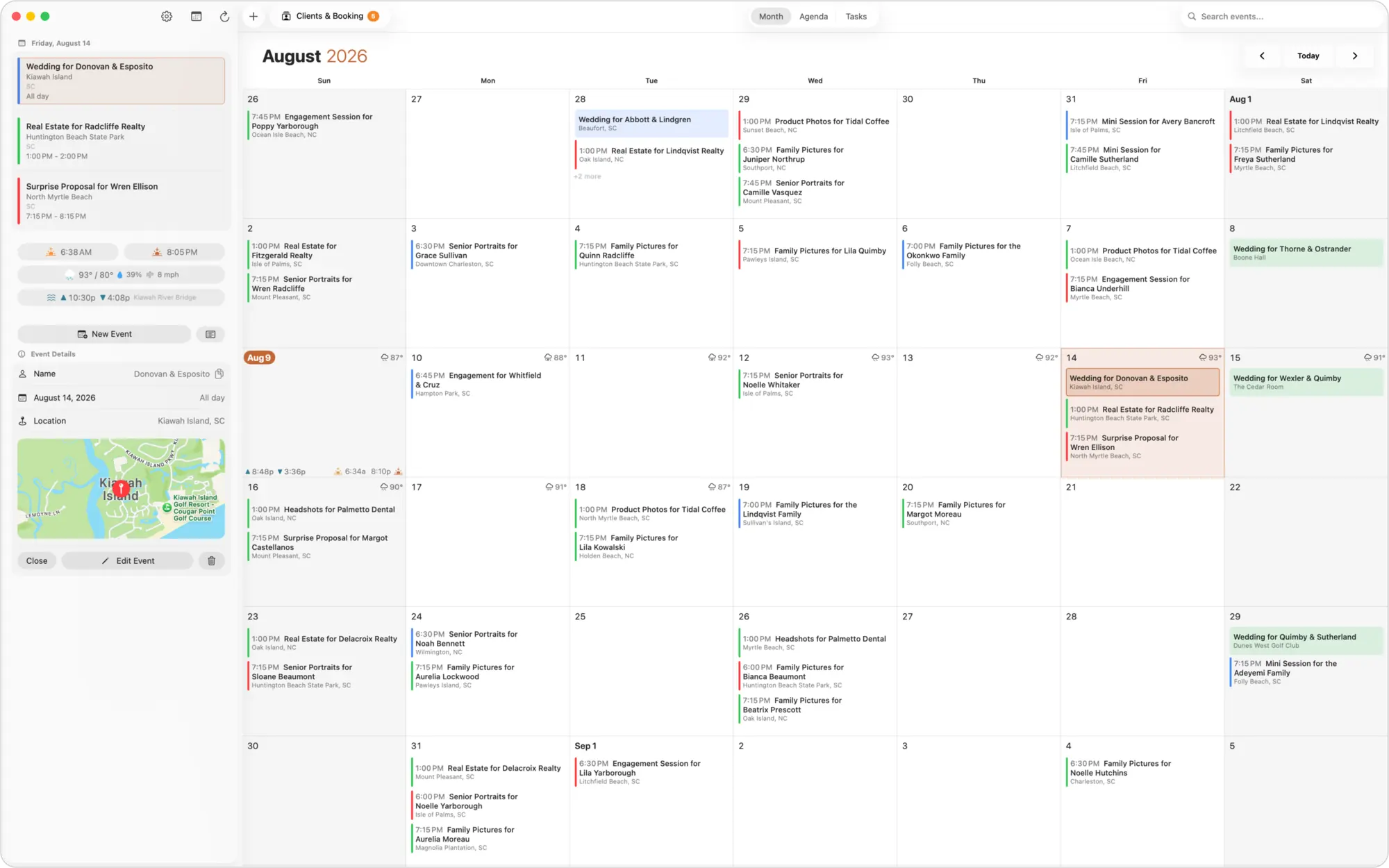
One toggle, green or red
Mark a session paid or unpaid with a single tap. The event turns green when the deposit is in and red when it is not, on both the app and your Google Calendar, so you know a booking is secured before you ever leave for the shoot.
Deposit-only availability
By default a day only shows as booked on your public availability calendar once the deposit is in, so a soft inquiry never blocks the date for everyone else. Prefer to block a day sooner? You can switch to showing every event as booked instead.
Automatic client reminders
ShootCal can email your client a friendly reminder before their session, sent from your own Gmail. Choose how many days ahead, and write your own message or use the built-in one. Fewer no-shows, zero manual follow-up.
Booking reports at a glance
See bookings by type and month, deposits received versus pending, plus a separate cash-received view for confirmed ShootCal invoice payments, refunds, sales tax, outstanding balances, and cash-received and invoice-list CSV exports.
Contracts your clients e-sign online
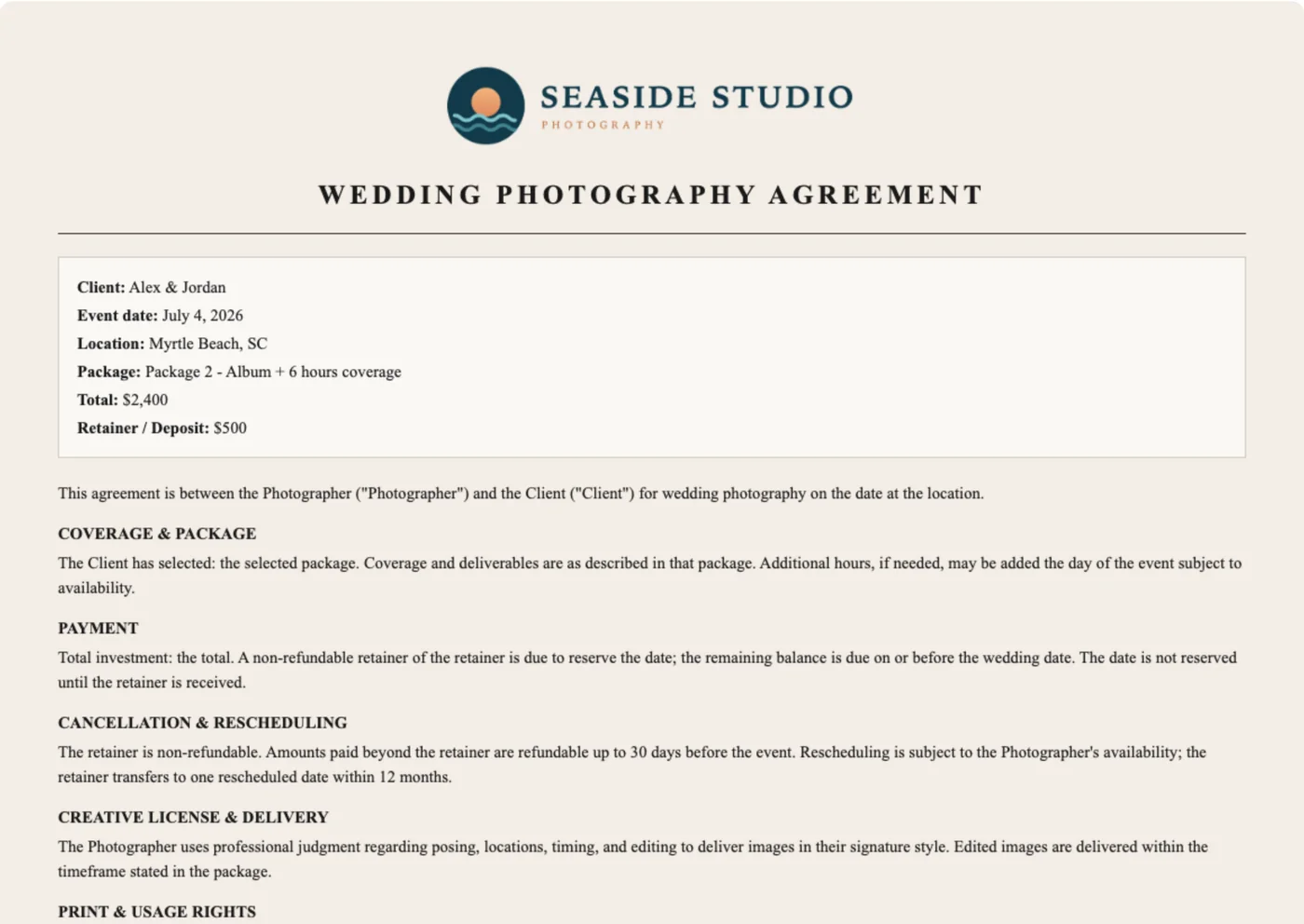
Create a wedding, family, or custom agreement from a built-in template, prefilled with the couple, date, venue, and package, then share the signing link. Your client reviews and e-signs from any device with a tap, you are notified the moment they do, and a signed copy is saved to your own Google Drive. No printing, no scanning, no chasing a signature the week of the shoot. (Templates are a convenience, not legal advice.)
When ShootCal is enough — and when to use accounting software
ShootCal now handles the everyday client-billing workflow itself: one full-job invoice, an optional deposit, Stripe card and manual payments, refunds, saved sales-tax rates, cash-basis reports, and CSV exports. It now even includes basic expense tracking.
For a straightforward photography business, that may be all you need for invoicing. When you require detailed expense tracking, bank reconciliation, profit-and-loss statements, payroll, multi-currency accounting, or accountant-ready books, use Wave, QuickBooks, or another full accounting system.
Stay in ShootCal for client billing
Create the invoice, accept the deposit or final balance, track card and manual payments, issue partial or full refunds, and review cash received and sales tax without adding another app to the client workflow.
Use Wave or QuickBooks for full books
Move to full bookkeeping software when you need expenses, reconciliation, financial statements, payroll, or a more complex accounting workflow. Your accountant can use ShootCal’s CSV exports as supporting records.
Selling prints? That money goes straight to you
The live ShootCal Galleries print store sends print and wall-art payments directly to your own Stripe account on your normal payout schedule. Stripe Tax can calculate sales tax where configured; photographers remain responsible for their own filing and remittance. ShootCal print commission is 0% on Plus and Pro and 15% on Free, charged on the product price only, never shipping or tax. See how the print store works →
Availability
A live availability calendar, private by design
Share which days you're open without ever exposing a client's name, location, or session details. The calendar below is a live example feed from a sample studio, published straight from ShootCal and refreshed automatically.
Booked days show as booked. Limited days have a session scheduled but still have open slots. Click any open day to try the booking flow. This is a demo, so nothing is actually sent.
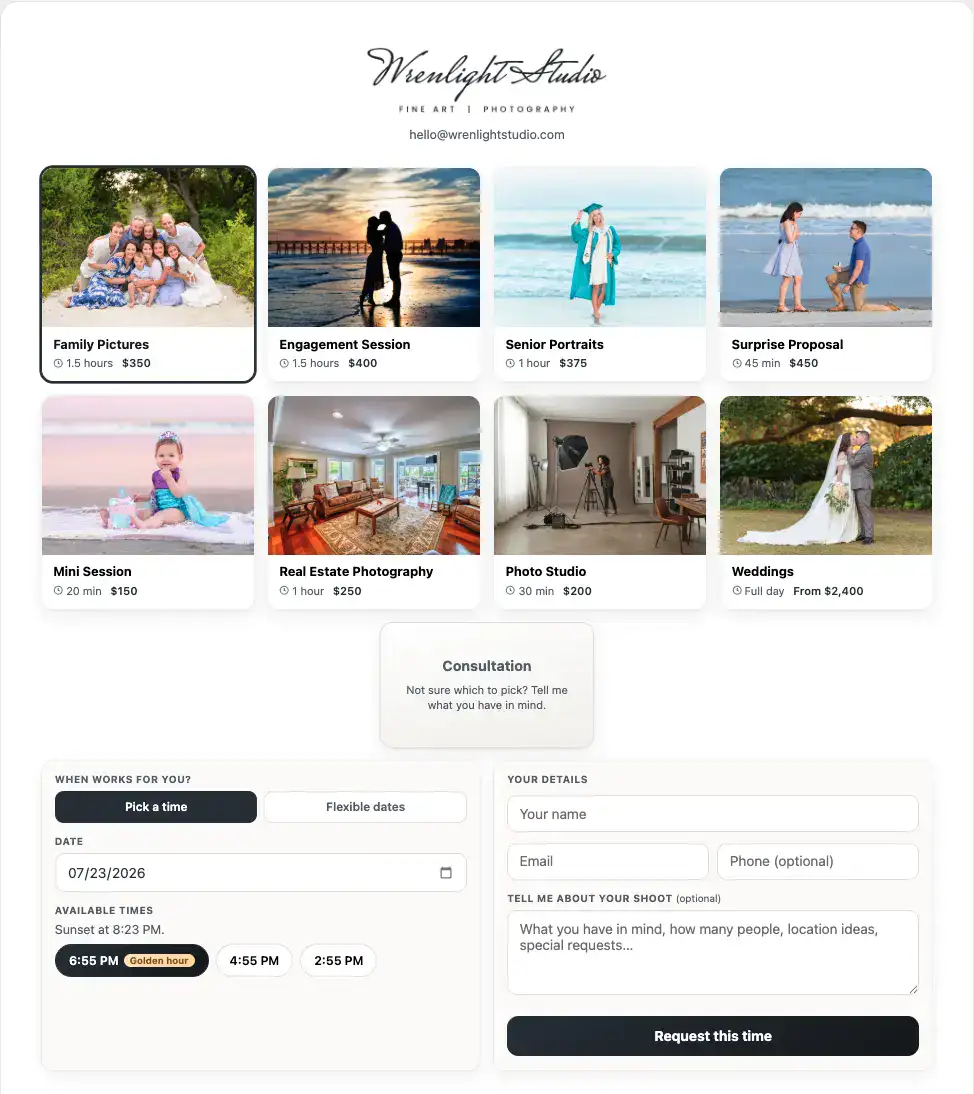
Let clients book your open days
Share a live availability calendar that shows when you are free without exposing a single client’s name or location. Booked days show as taken, open days invite a request, and every request lands in your inbox to accept with one tap.
Add one to your own website
Any ShootCal user can publish the same private-by-design availability calendar from their own Google Calendar.
Embed it anywhere
Open ShootCal on the web, turn on your availability feed, and copy the embed snippet. Paste it into an HTML / “Embed” block on whatever your site is built with: Squarespace, Wix, WordPress, a plain HTML page. It fills the space you give it and resizes itself automatically. No plugin needed.
Galleries
Deliver photos and films in a gallery clients love
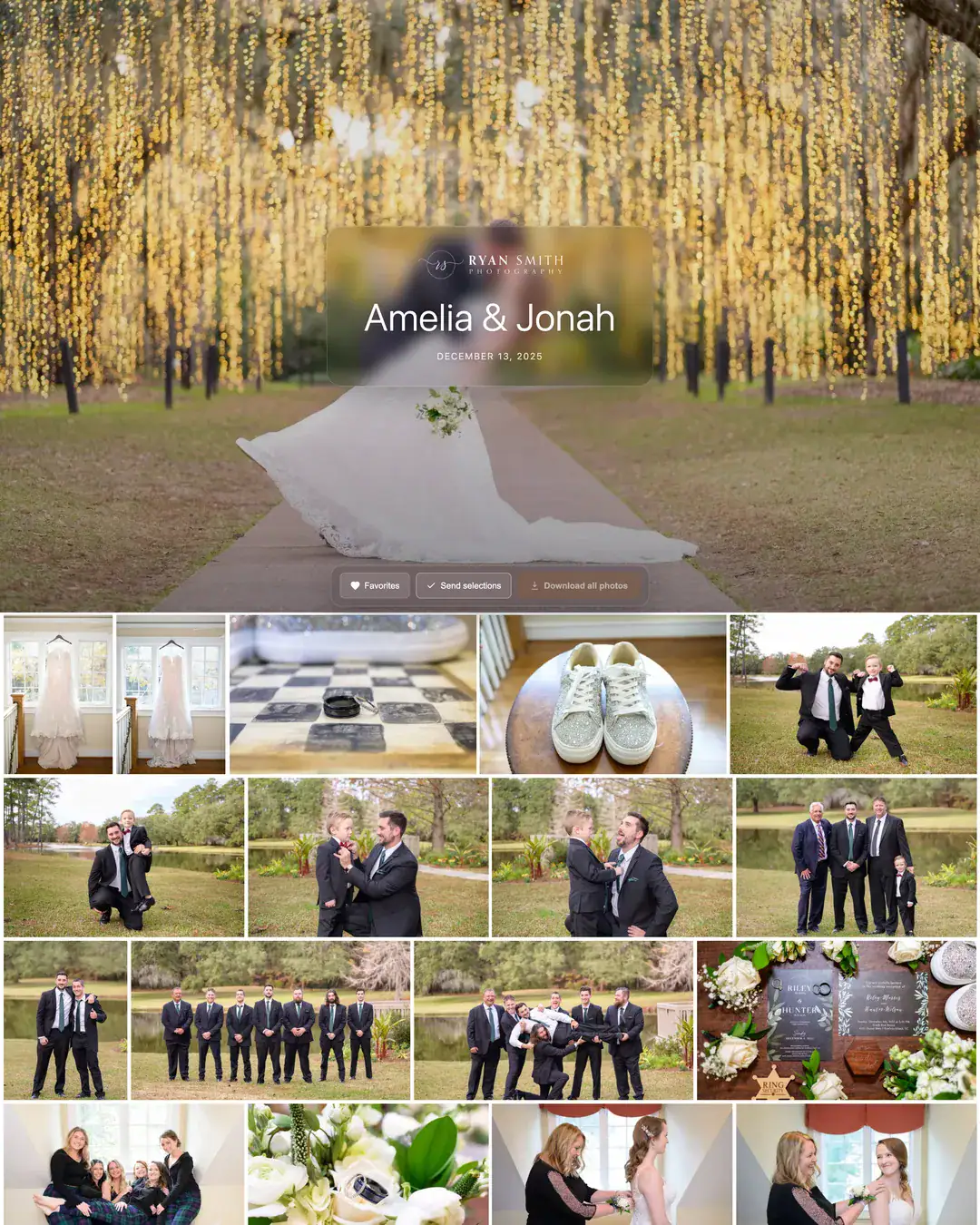
When the shoot is done, hand it off with ShootCal Galleries: a polished, branded gallery with photos and videos presented separately. Clients get full-resolution photo downloads, favorites, video playback up to 1080p, and downloadable 4K video originals. Plus includes 30 active video minutes and Pro includes 180. The White House Custom Colour (WHCC) print store is live for photographs, so clients can choose professional prints and wall art at your pricing, adjust the crop with a clear visual preview, and pay directly into your connected Stripe account. Password protection, custom domains, and Lightroom publishing are there when you want them, and a booking can create the client’s gallery on the spot. Explore ShootCal Galleries →
Ready to get your shoots organized?
The ShootCal app is free—no app subscription required—and your calendar stays yours. ShootCal Galleries is optional.
Or try a live demo with sample data →
Have an idea or found a bug? Join the ShootCal community on Facebook to discuss ideas and report issues.