Review gallery activity
Check views, downloads, print orders, and sharing status when helping a client.

For photographers & videographers
Deliver photos, collect favorites, and sell prints from one gallery link. Start with 10 GB free. Plus and Pro add video and storage; Pro also adds custom domains. Paid plans are monthly with no annual contract.
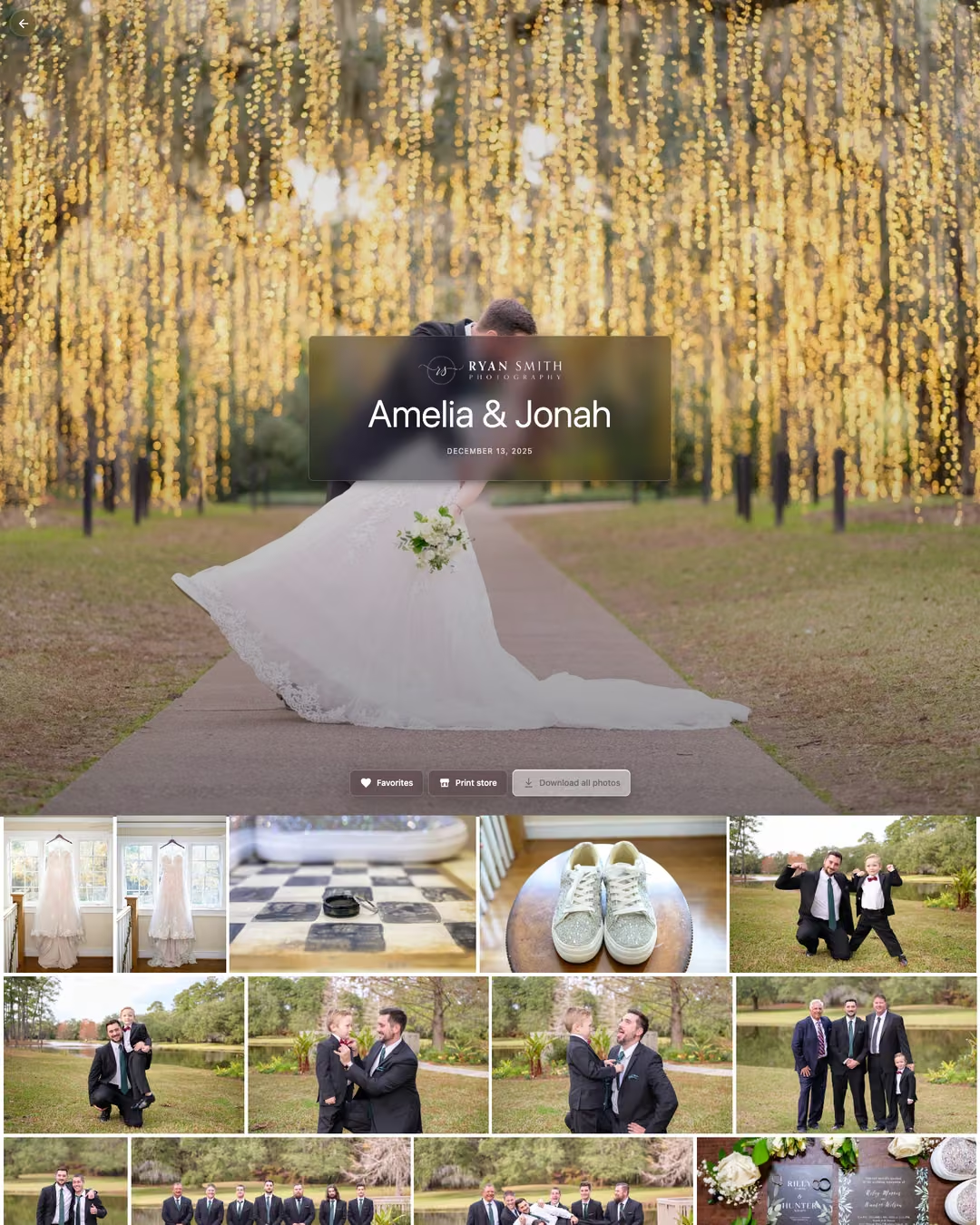
Beautiful mobile friendly galleries
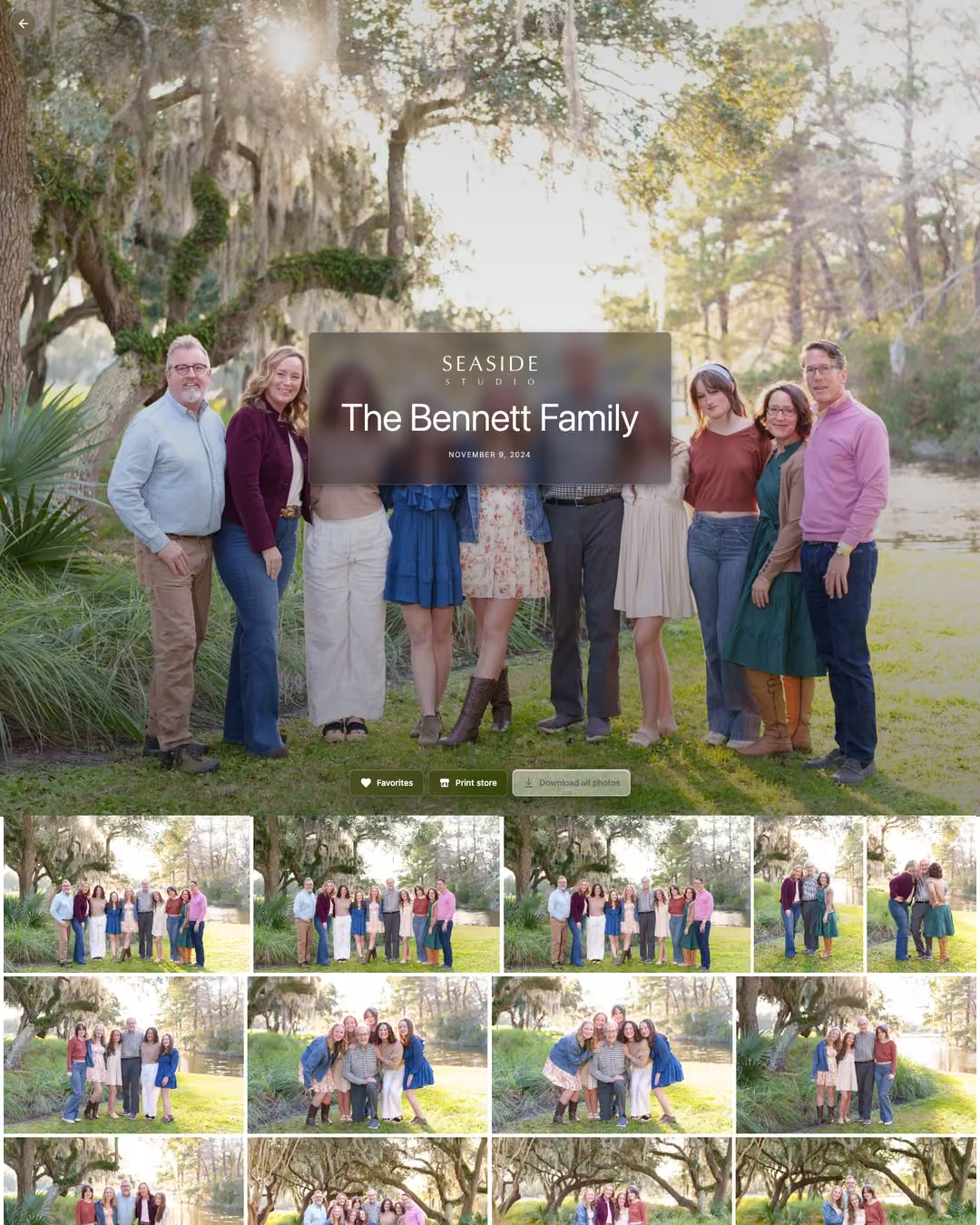
Brand galleries with your name or logo. Clients swipe and zoom full-screen photos, watch video up to 1080p, and download uploaded 4K originals. Choose Public or Link only access; Plus and Pro add passwords.
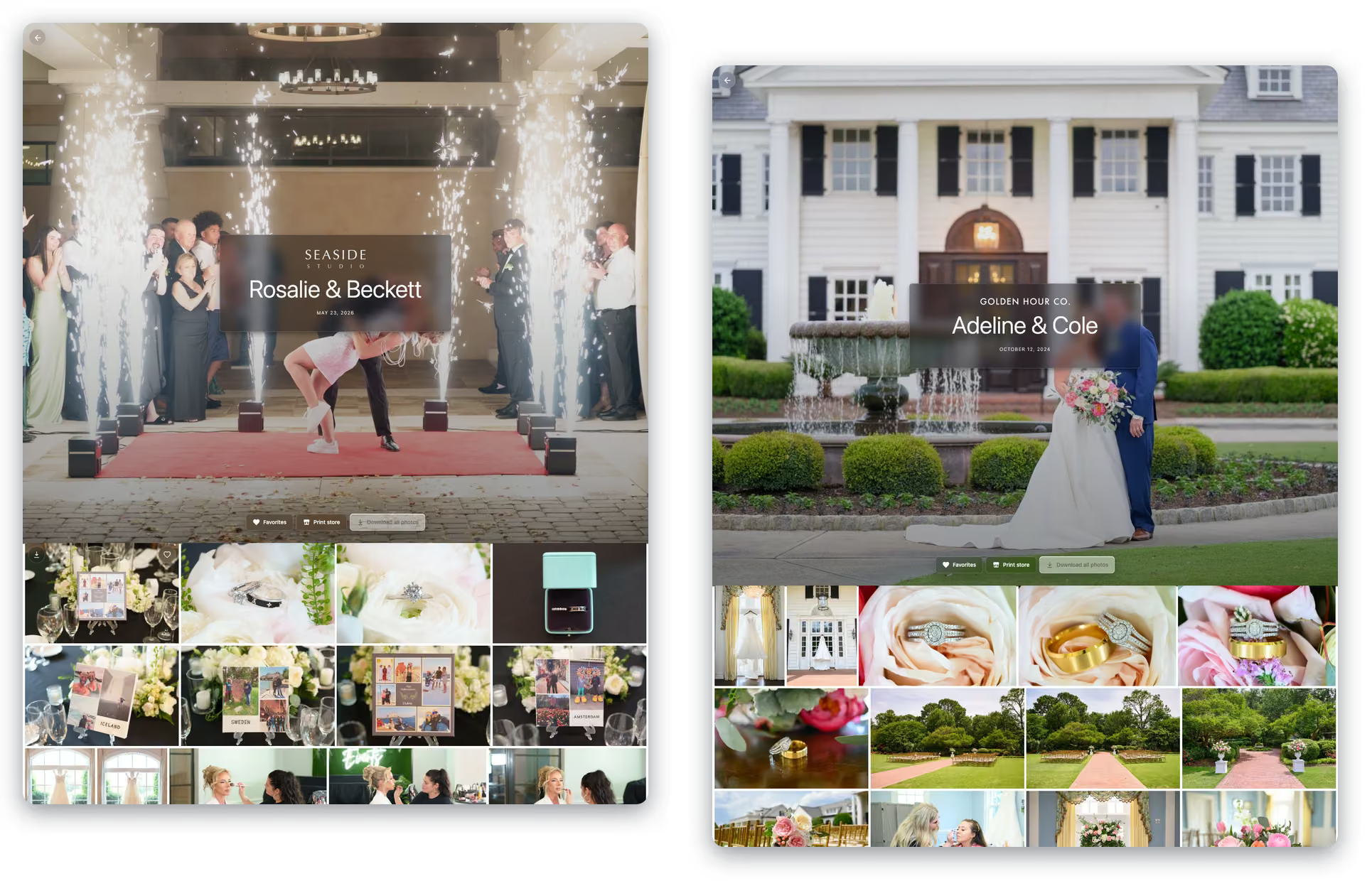

Online proofing
Clients email their favorites without creating an account. Use their selections for albums, prints, or retouching.
Full-resolution downloads
Clients download original-resolution photos individually or request the whole gallery by email. Full-gallery links arrive when ready. No account required.


Lightroom plugin
With the Lightroom Classic plugin, a published collection becomes a gallery. Publish it after editing, then republish when you make changes. The plugin uploads the files and keeps your collection order, so you can handle delivery from the place you already edit.
Explore real wedding and family photos in example studios. Try the viewer your clients will use.
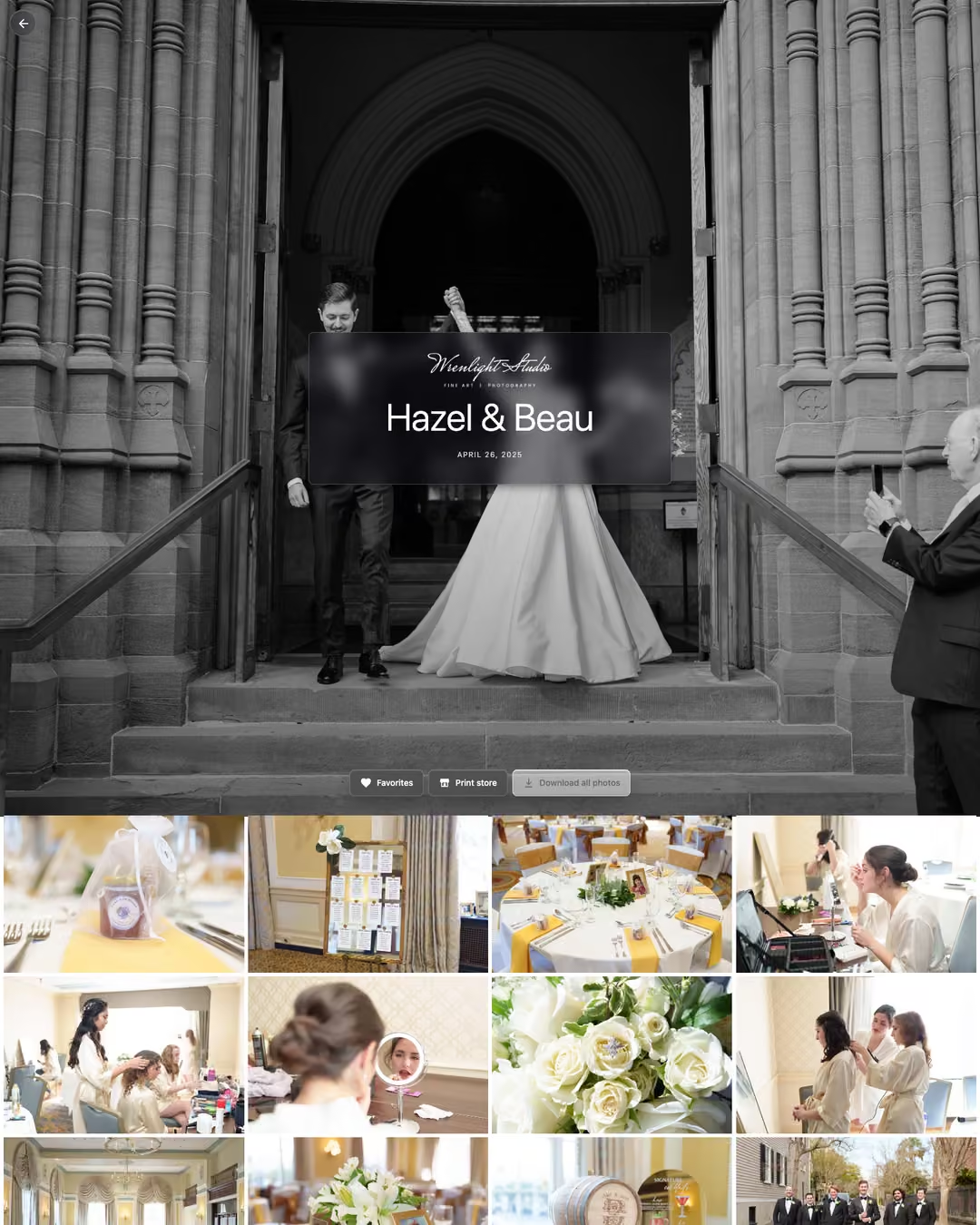
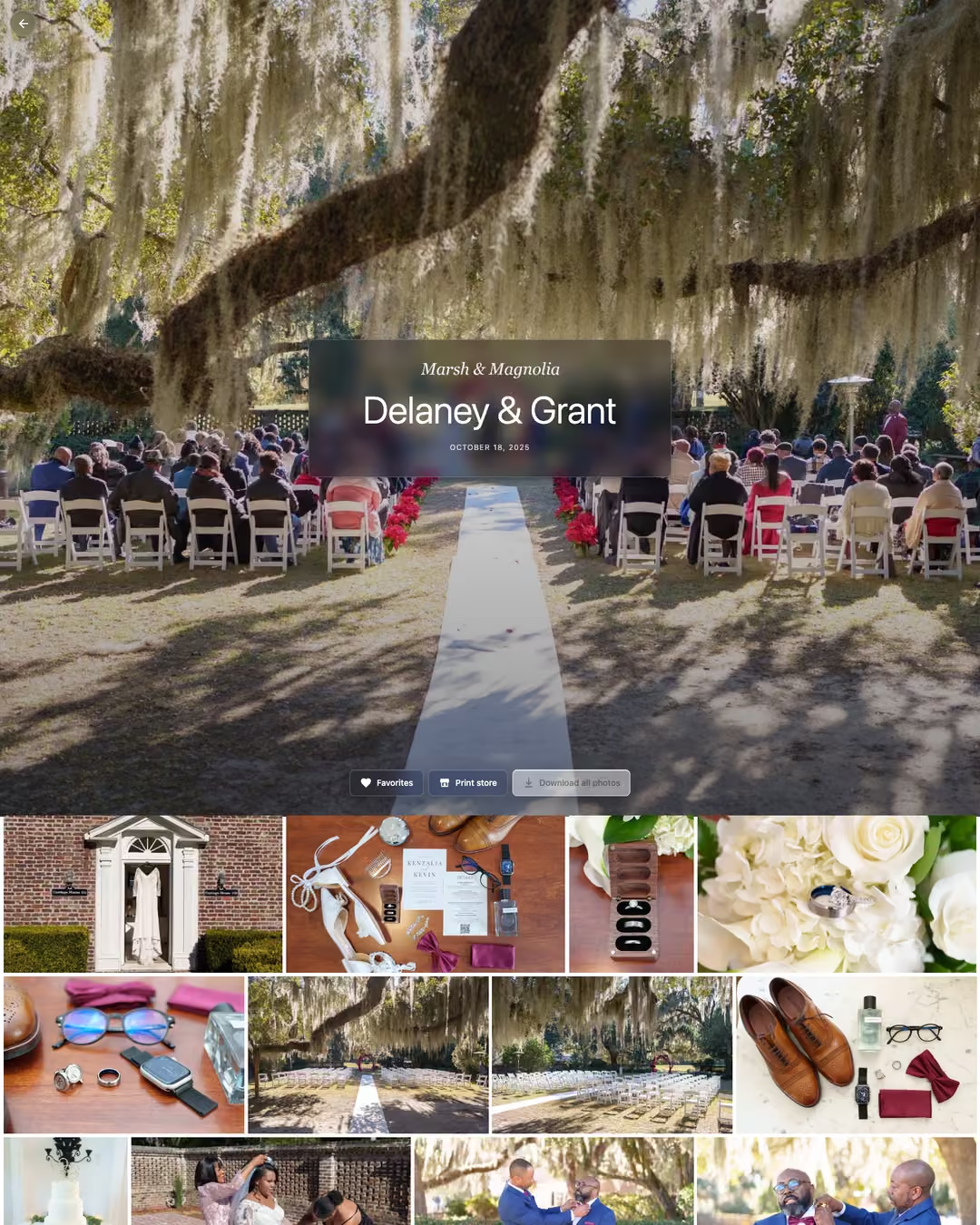
Your side of the gallery
Find galleries ready to send and check client activity. The dashboard shows names, sharing status, views, downloads, and orders.
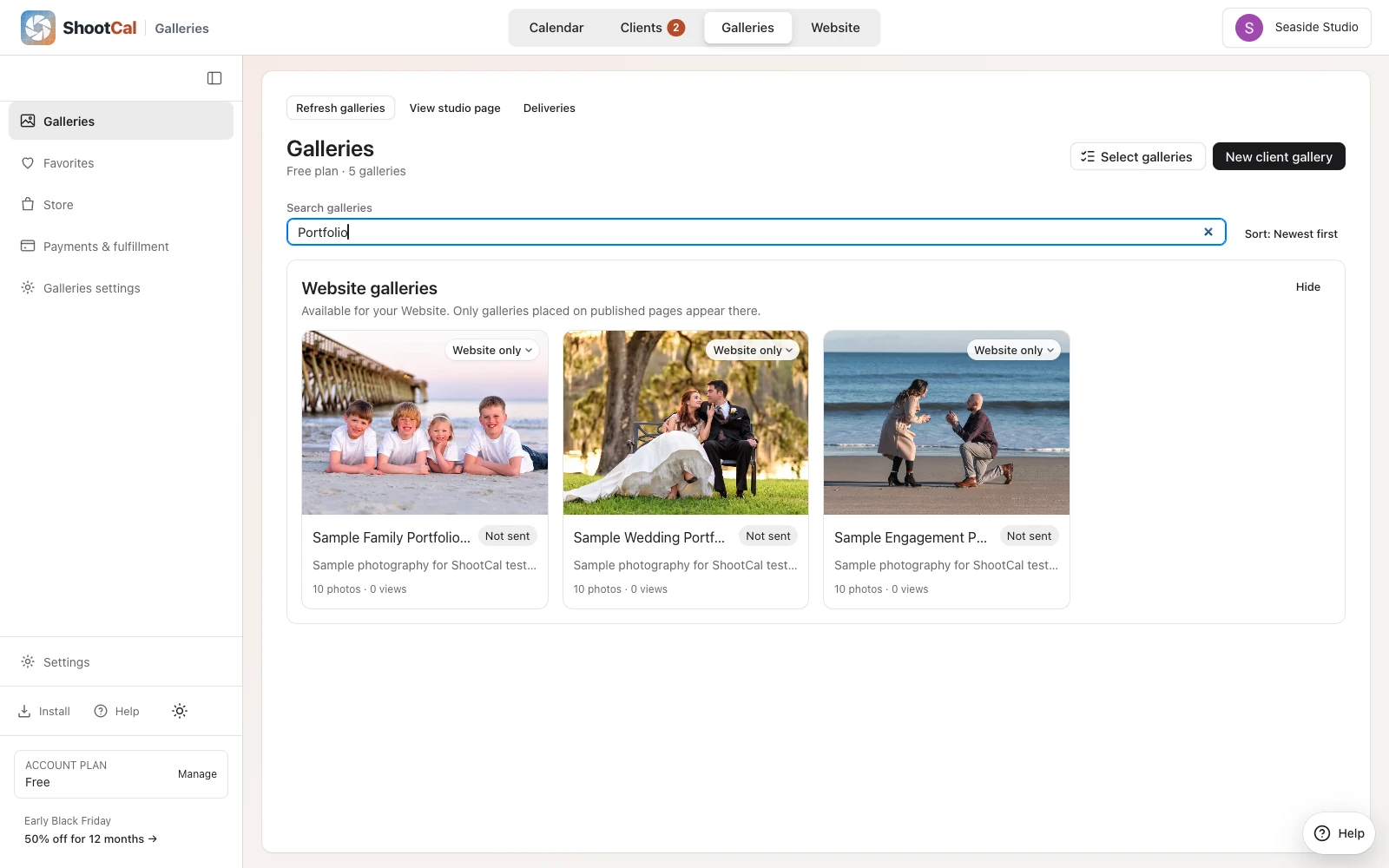
Check views, downloads, print orders, and sharing status when helping a client.
Public galleries can appear on your portfolio; Link only galleries need their share link. Plus and Pro add optional passwords.
Search galleries or select several for bulk changes. A separate Website section keeps portfolio work easy to find.
White House Custom Colour
Offer prints and wall art at your prices. Clients pay your connected Stripe account; White House Custom Colour (WHCC) prints and ships under your brand.
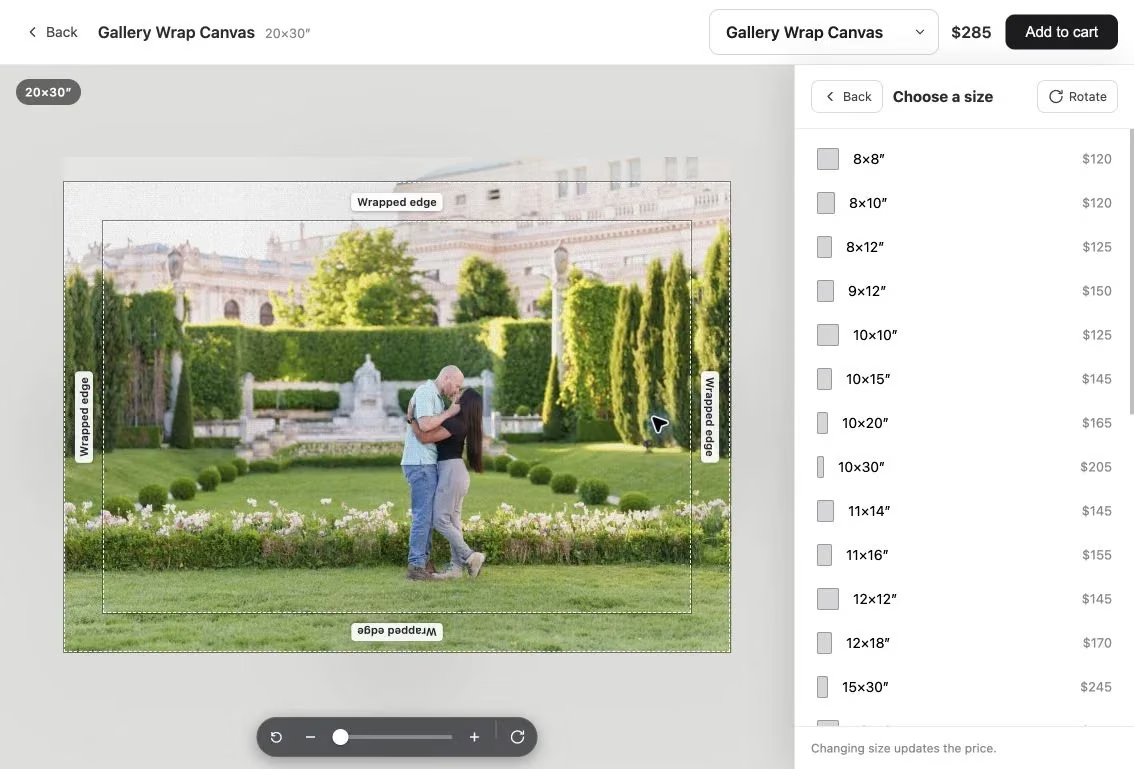
Clients adjust the crop after choosing a product and size. Canvas-wrap guides show the edges; wall previews help compare sizes.
Set your retail prices and connect Stripe to receive payments. You have 24 hours by default to review an order, or you can approve it sooner. ShootCal's print commission is 0% on Plus and Pro and 15% on Free and Basic; lab, shipping, tax, and payment-processing costs still apply.
Add a studio-funded print credit to a gallery or create a discount code. Stripe Tax calculates applicable sales tax at checkout from your registration settings. Clients can track an order and receive a shipping email when it leaves the lab.
How we compare
Compare storage, downloads, and print-selling costs before choosing a gallery service.
| Feature | ShootCal Galleries | Pixieset | Pic-Time | ShootProof |
|---|---|---|---|---|
| Free photo storage | 10 GB | 3 GB | Free plan with introductory storage, then 3 GB | 100 photos |
| Full-resolution downloads | Included | Available; plan limits apply | Available; download settings apply | Available; download controls apply |
| Lightroom publishing | Included; collection order stays in sync | Publish plugin | Lightroom integration | Publish plugin |
| Video delivery | Plus: 30 active min; Pro: 180 active min. 4K originals, playback up to 1080p | HD video storage on paid plans; add-ons available | Video storage on Free and paid plans; up to 4K | Check current video options |
| Print store | WHCC; you set retail prices | Integrated store and lab fulfillment | Integrated store and worldwide labs | Integrated store and lab fulfillment |
| Print commission on paid plans | Basic: 15%; Plus and Pro: 0%; payment processing and fulfillment costs apply | 0%; payment processing and fulfillment costs apply | Depends on plan and who collects payment; eligible setups can be commission-free | Commission-free sales; processing and fulfillment costs apply |
| Paid photo storage | 30 GB for $5/mo; 150 GB for $12/mo; 1,000 GB for $25/mo | Storage tiers up to unlimited | Storage tiers up to unlimited | Plans based on photo count, up to unlimited |
| Subscription billing | Monthly; no annual contract | Monthly or annual | Monthly or annual | Monthly or annual |
Reviewed September 5, 2026 using the provider sources below. Features, limits, and prices can change. Storage units and plan rules differ.
Current plans: Pixieset Client Gallery, Pic-Time Client Delivery Suite, and ShootProof. See Pic-Time's commission rules for the difference between collecting payments yourself and using its payment service.
Early Black Friday: 50% off paid plans for a full year.
Every plan includes scheduling, booking, clients, contracts, invoices, and reports. Choose the website and gallery space you need.
$0/mo
$5/moDiscounted price $2.50/mo Regular price $5
All Free features, plus:
$12/moDiscounted price $6/mo Regular price $12
All Free features, plus:
$25/moDiscounted price $12.50/mo Regular price $25
All Free features, plus:
Start free. Pay monthly. Cancel anytime. Prices in USD.
Claim by November 27, 2026, New York time. Regular monthly pricing resumes after your discounted year.
Free and Basic have a 15% print commission on the product total; Plus and Pro have 0%. Lab, shipping, tax, and payment-processing costs still apply.
| Plan | ShootCal Pro | Pixieset Suite Pro | Sprout Studio Pro |
|---|---|---|---|
| Monthly price | $25/moDiscounted price $12.50/mo Regular price | $50/mo | $51/mo |
| Client galleries | Included | Included | Included |
| Booking, contracts & invoices | Included | Included | Included |
| At least 1,000 GB photo storage | Included 1,000 GB | Included 2,000 GB | Not included 200 GB |
USD, monthly billing. Features and storage differ. Checked October 22, 2026.
The ShootCal offer lasts 12 months.
The free ShootCal app includes scheduling, booking, clients, contracts, invoices, card and manual payment tracking, and cash-basis reports. Accounts include 10 GB for photo delivery; Plus and Pro optionally add storage or video. Shared client records connect bookings and galleries. Choose Create gallery from a client record when needed; galleries are never created automatically.
Paid plans are month-to-month with no annual commitment. You can cancel anytime. The Free plan has no subscription charge.
Upload photos and videos, then share the link or branded delivery email. They appear separately. Plus includes 30 active video minutes; Pro includes 180 (3 hours). Clients download 4K originals; playback adapts up to 1080p. Each video is limited to 30 minutes and 4.9 GB.
Yes: 10 GB, full-resolution downloads, proofing, delivery emails, and Lightroom publishing. Optional Plus is $12/mo for 150 GB and 30 active video minutes; Pro is $25/mo for 1,000 GB and 180 minutes (3 hours). Both add passwords and 0% print commission, billed monthly with no annual contract. Pro also adds unlimited website pages and custom domains.
There is no setup fee. ShootCal charges a 15% commission on the product total on Free and Basic, and 0% on Plus and Pro. The commission doesn't apply to shipping or sales tax. Lab, shipping, tax, and payment-processing costs still apply.
Yes. Payments go directly to your connected Stripe balance on its normal payout schedule; ShootCal never holds sales. You set retail prices and keep the margin; lab costs are handled automatically.
WHCC prints and ships under your brand, without inventory or packing. Offer photo prints, canvas, metal, acrylic, framed prints, standouts, wood prints, and acrylic blocks.
No. Clients use your link; favorites and print orders need only an email address. Optional gallery passwords are available on Plus and Pro.
Yes, on Pro. Point a CNAME for galleries.yourstudio.com at ShootCal and new gallery links use your own domain.
Yes. Create a published collection with the Lightroom Classic plugin, then publish or republish edits. Custom photo order stays intact. You can also publish to an existing gallery, including one created from a ShootCal client record.
Yes. Shared client records show bookings, contract status, and galleries. Create an empty Link only gallery when needed; none are created automatically.
Stripe Tax calculates tax from the shipping address for states you register in your Stripe dashboard. You remain responsible for remittance; ShootCal does not file returns.
No. Use galleries for delivery and favorites, or enable the optional print store per gallery.
Step-by-step guides to custom domains, the Lightroom plugin, the print store, and more. Browse the Help Center