
FREE ON EVERY PLAN
Build a photography website from the galleries you already use.
Choose a starter template, add your photos, and make the pages fit your work. ShootCal Websites connects your portfolio to the same galleries you send to clients. The builder, slider headers, and all eight looks are included on every plan.
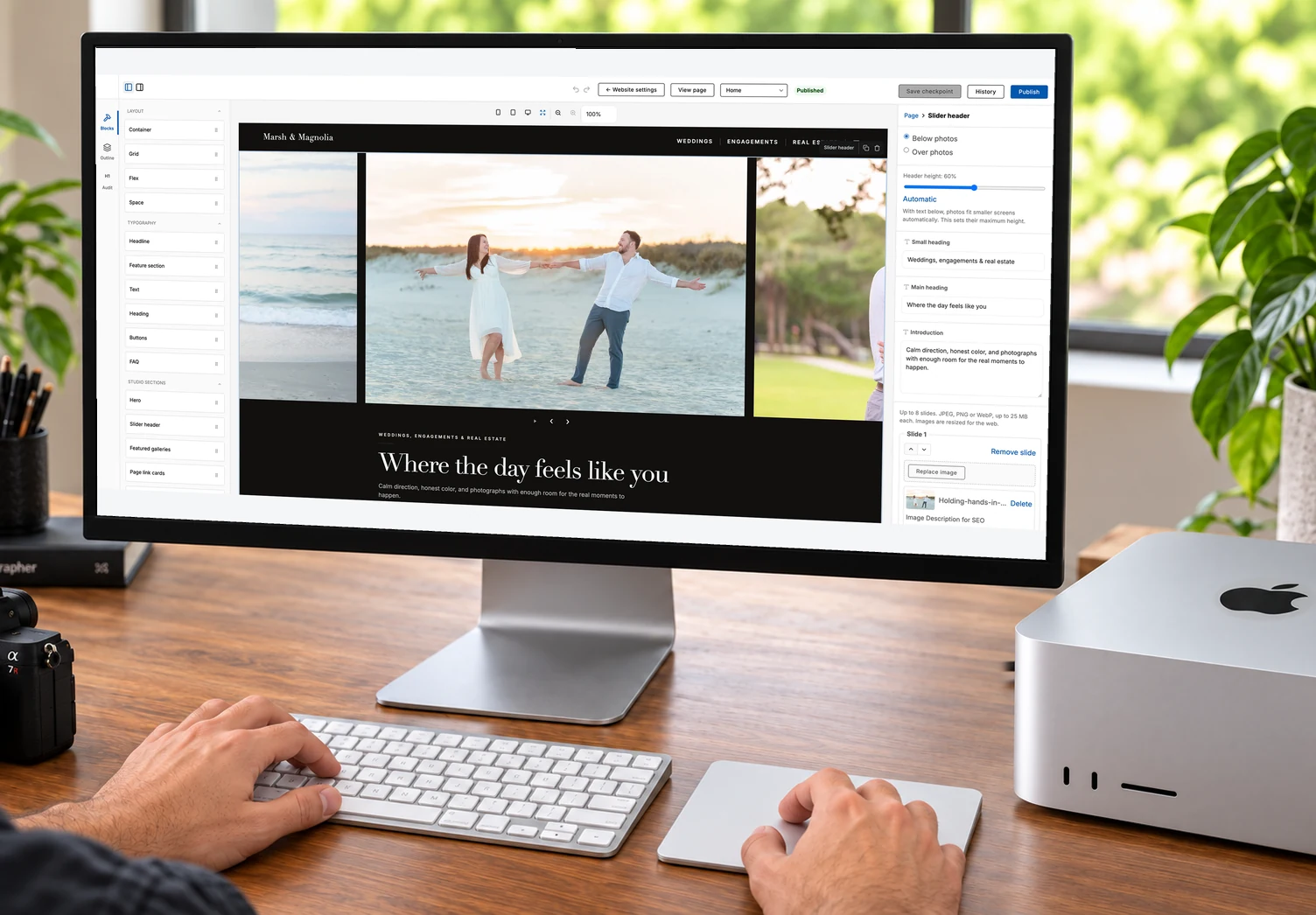
Start free. Try all six pages.
Every ShootCal studio can edit all six Website page slots. New accounts receive six calendar months of Basic Website access from signup, with no card required or automatic charge. Free hosting keeps Home and an optional Contact page. Basic is $5/month for full six-page hosting with the same 10 GB storage as Free; custom domains require Plus or Pro. Existing accounts retain their promised full Website access.
Your gallery photos
Choose the work you want on your website.
Upload a photo gallery in ShootCal Galleries, then select to place it on a page. Gallery blocks use those existing photos, so you don't have to upload another copy. Visitors can open the full gallery to browse, choose favorites, download, or order prints, depending on the settings you've enabled.
A separate choice for your website
Website galleries is the set you choose for the builder. Marking a gallery doesn't publish it. Place it on a page and publish the site when you're ready to show it.
Public and Link only galleries
Both can be used on your website. If you publish a Link only gallery there, anyone visiting the site can see its photos and open the gallery. It stays unlisted elsewhere. Password-protected galleries can't be added.
Live example
Your latest Instagram work, on your website.
Add an Instagram feed block to any page. Show recent posts from your account, or filter by a caption hashtag to highlight weddings, portraits, or another part of your work. Each photo links to the original post. Connect a professional Instagram account linked to a Facebook Page to get started. This live example shows recent posts from Ryan Smith Photography.
Recent posts load here. You can also view them on Instagram.
Editing
Start with a look, then make it your own.
Choose Glass, Editorial, Aperture, or Simple, each in a light or dark version. Add your logo, choose your fonts and colors, then open a page to edit its text and move the blocks. The same blocks, eight looks, and six editable page slots are available to every studio. Basic, Plus, and Pro host all six pages; Plus and Pro also let you connect your own domain.
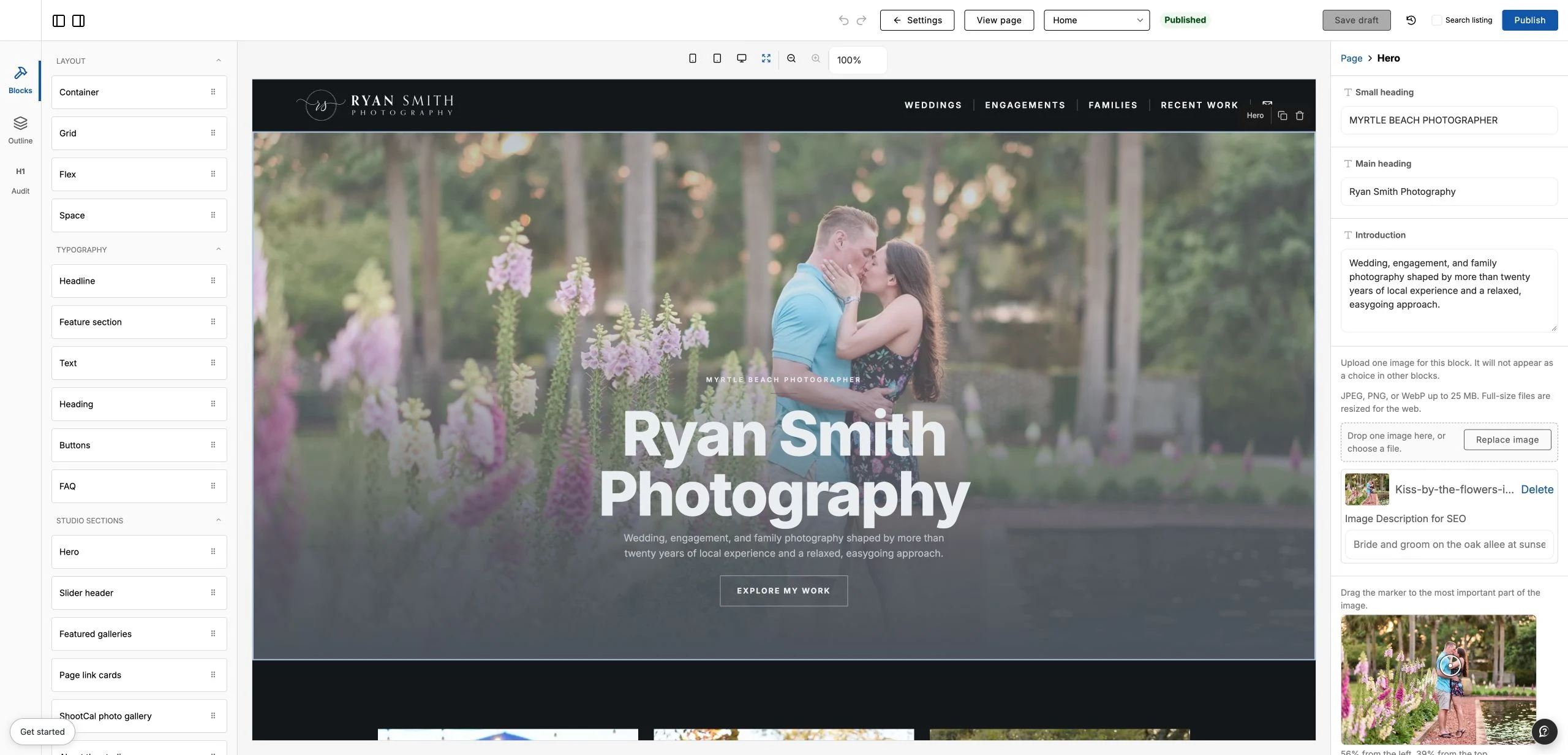
Slider headersNew
Show up to eight photos at the top of any page. Choose text below or over the photos, then set the heading and buttons. With text below, photos keep their shape and fit smaller screens automatically. With text over the photos, you can adjust each focus point. Visitors can use the arrows or swipe between photos on a phone.
Multiple pages to work with
Edit all six page slots on every plan. Rename pages, change their addresses, reorder the menu, or hide them until you need them. Basic and the new-account trial host all six pages, as do Plus and Pro. After a trial ends, already-published Home and enabled Contact remain public; other pages stay saved and editable.
Publish when the draft is ready
Your edits save to a private draft. Publish puts them on the site. Unpublish takes the site offline while keeping the draft and its history.
Preview an earlier version
The builder autosaves after a pause. Save a checkpoint before a bigger change, then use History to preview an earlier version and restore it as a draft.
Built with SEO in mind
Pages include readable HTML, responsive layouts, and a title and description you can customize for each page. Indexing and search rankings depend on search engines; these controls do not guarantee placement.
Booking
Let visitors check dates before they write.
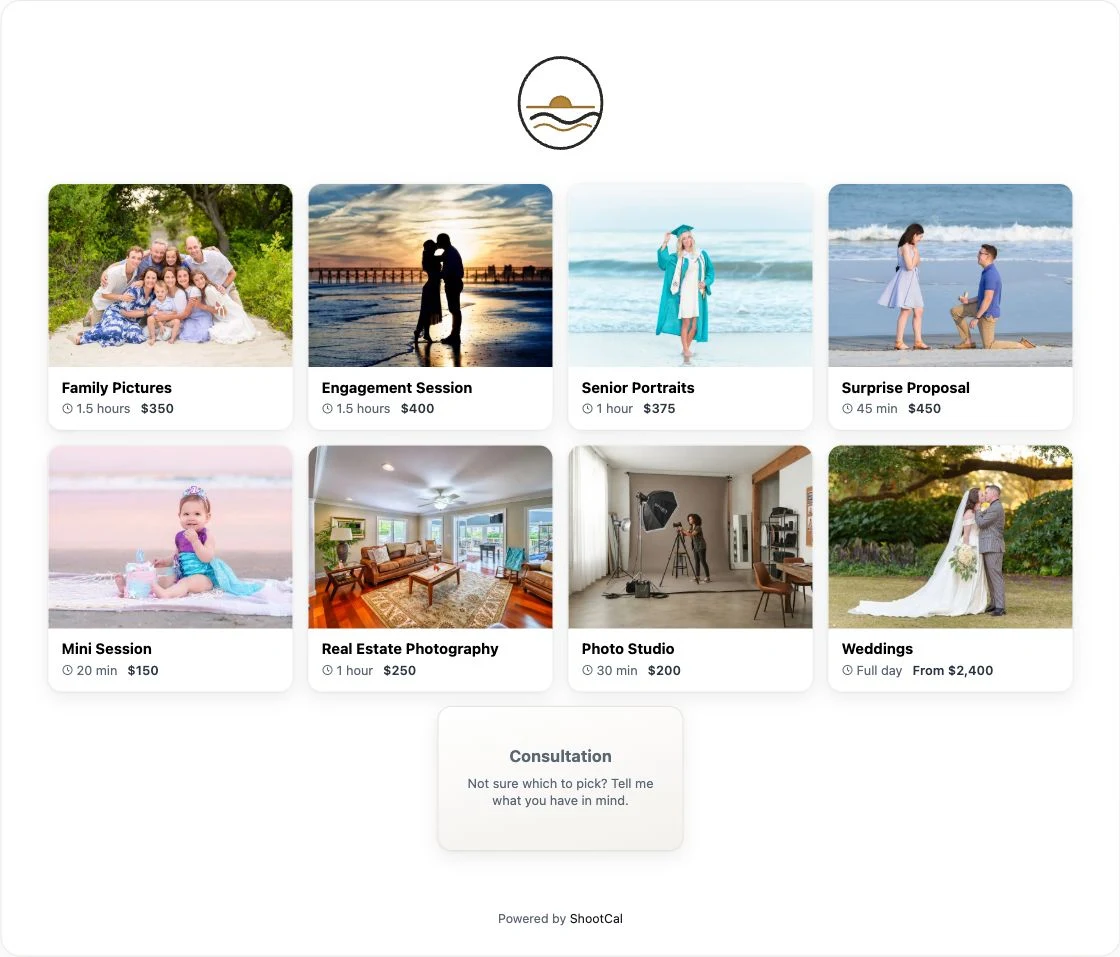
Once your ShootCal booking page is set up, add it to your website. Visitors can choose a session type and see your availability. The Contact form sends inquiries to your account email, so you can reply from the inbox you already use.
Your own domain
Use your own website and gallery addresses.
On Plus and Pro, you can connect www.yourstudio.com to your website and galleries.yourstudio.com to client galleries. Hosting and secure connections are included for both.
Your website address
Use your www address for your portfolio, service pages, and contact information.
Your gallery address
Keep client gallery, download, and print-store links under your galleries address.
ShootCal links still work
Connecting a custom domain keeps your existing ShootCal addresses working, including links you have already sent to clients.
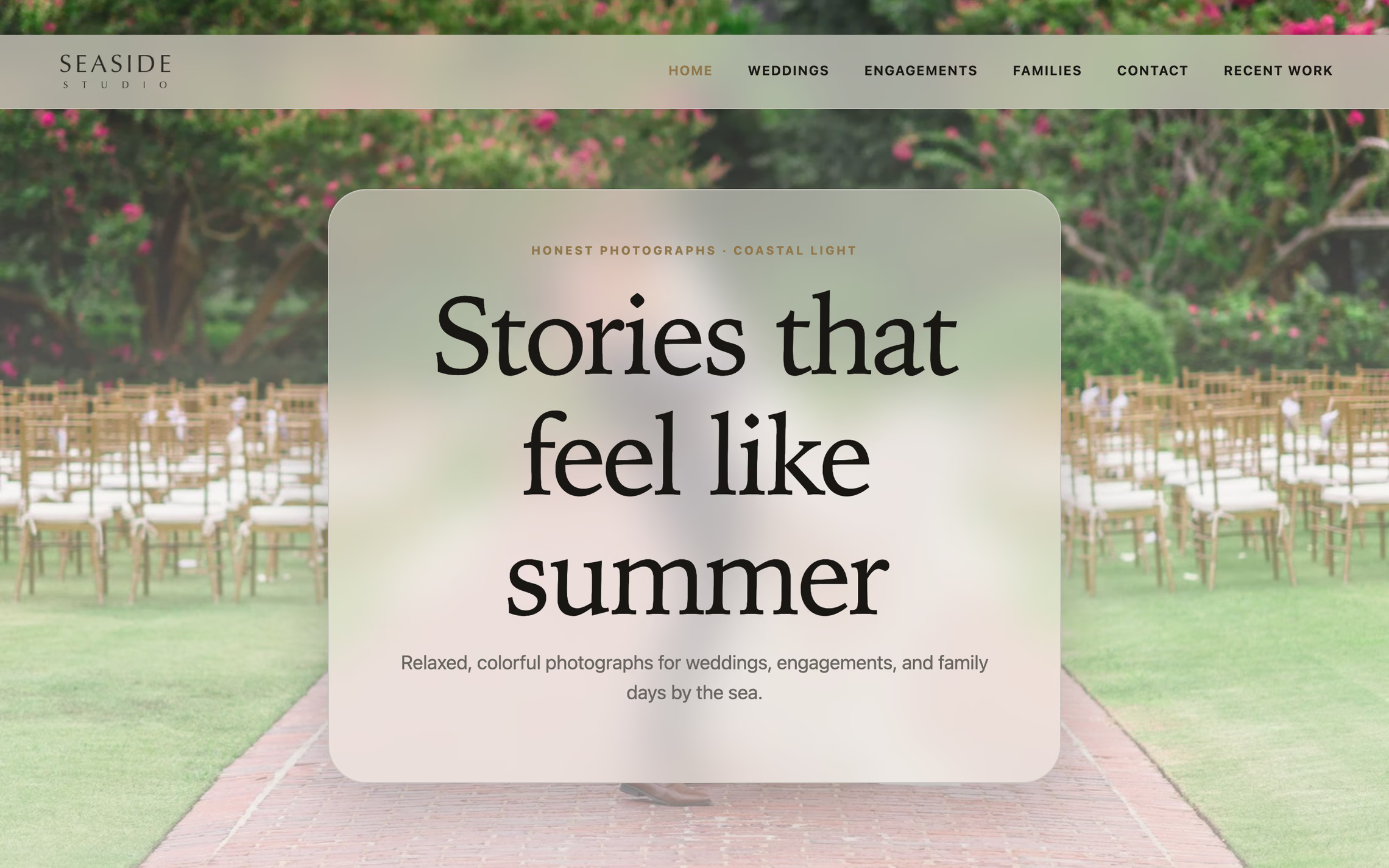
See three photography websites built with ShootCal
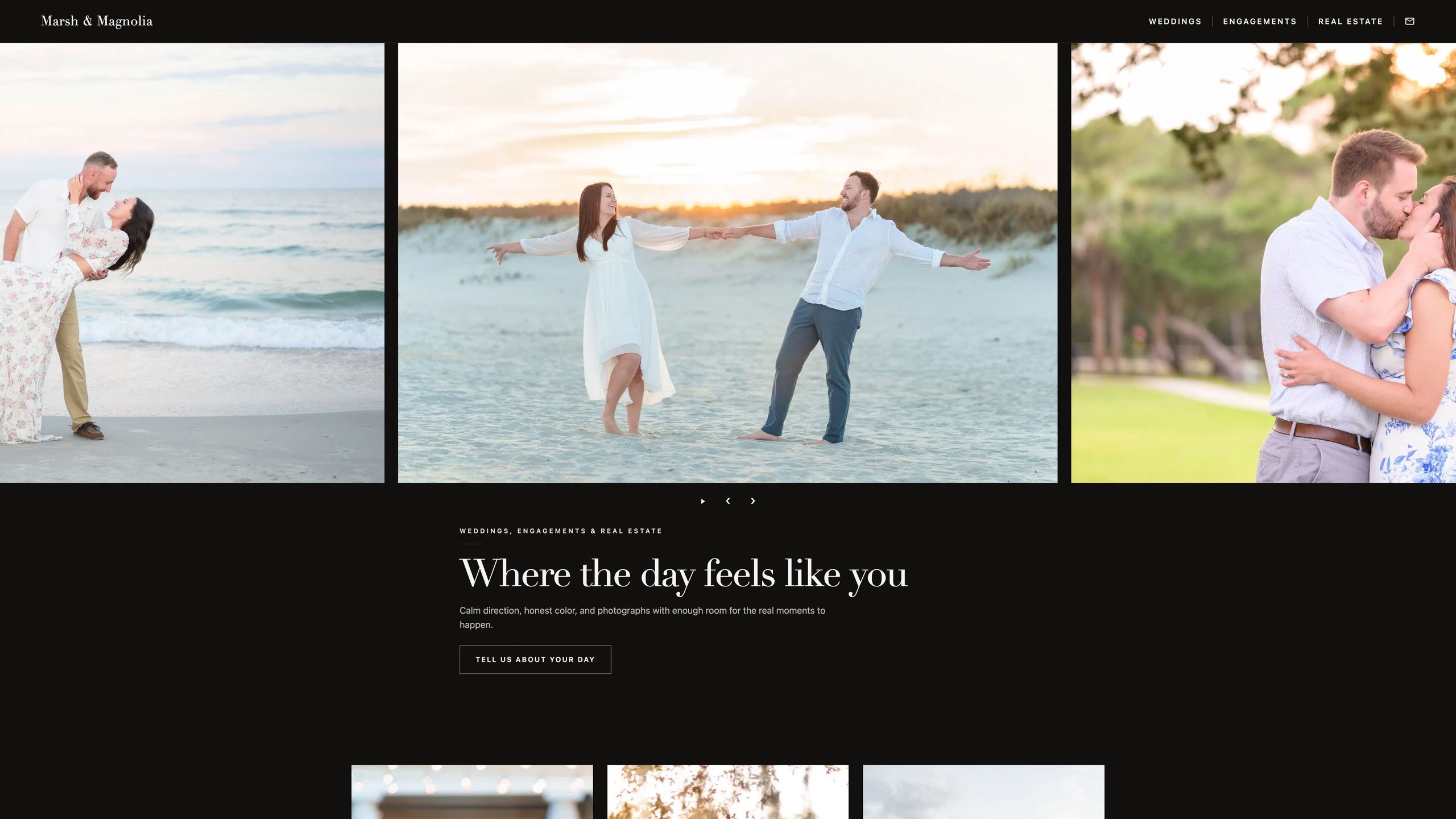
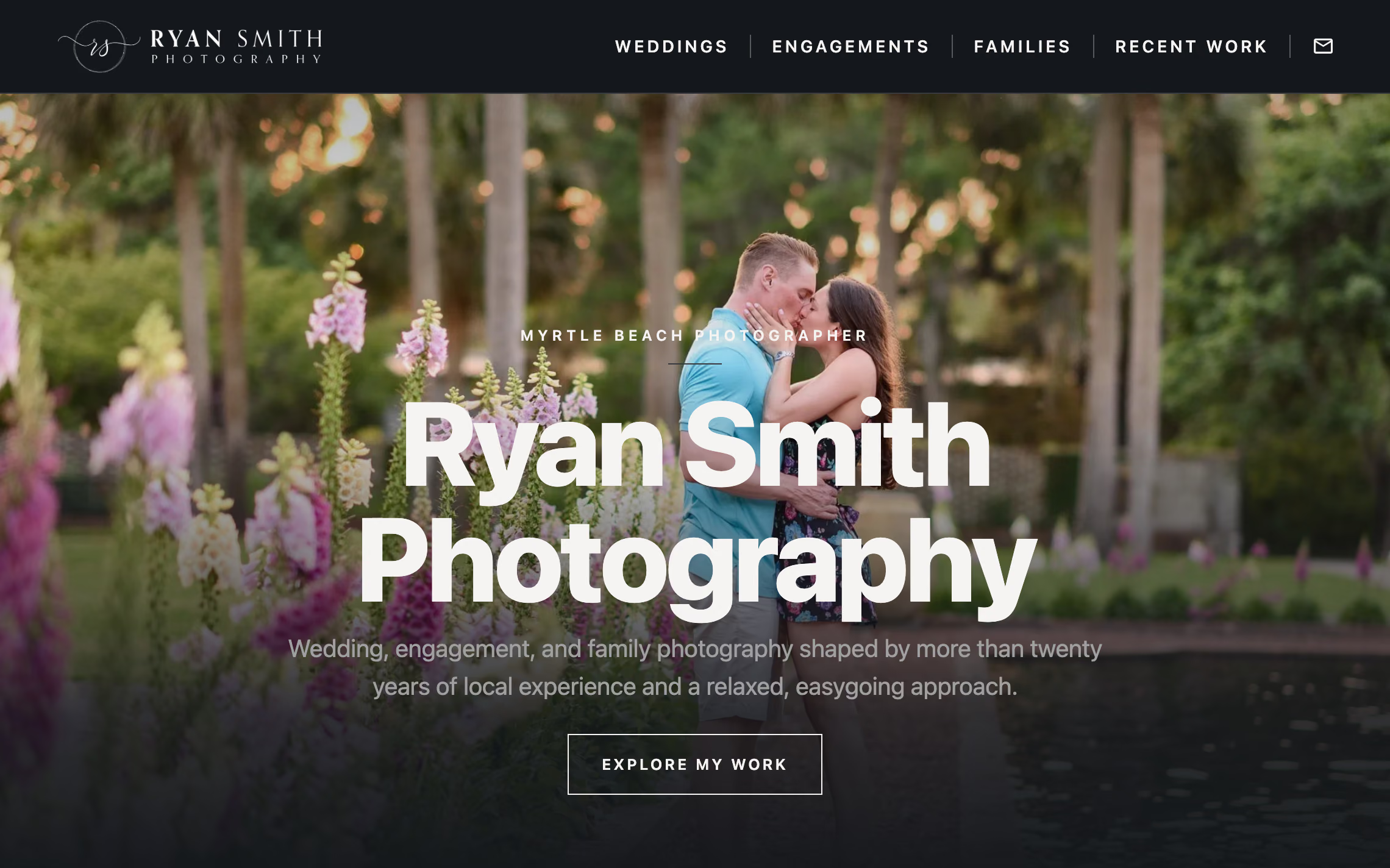
Take a look through Seaside Studio, Marsh & Magnolia, and my Ryan Smith Photography gallery site. Each uses a different look. Marsh & Magnolia uses slider headers for its portfolio pages and a regular header on Contact.
Seaside and Marsh & Magnolia are fictional example studios. My site shows how I use the builder alongside my client galleries. Open a gallery card to try the photo viewer too.
Featured photographer websites
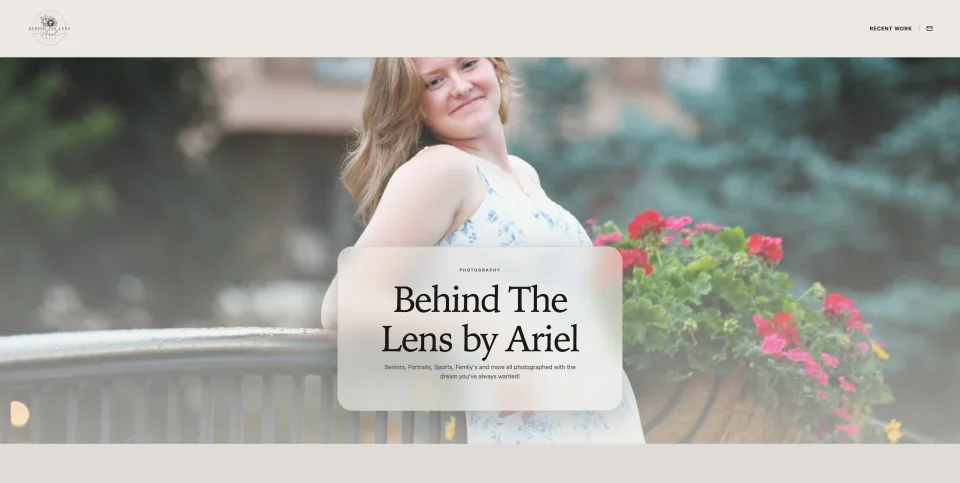
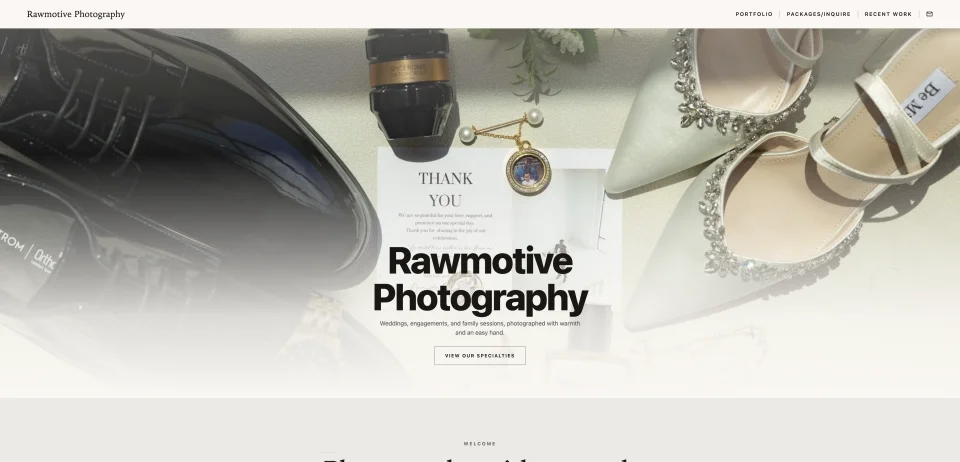
See what photographers in the ShootCal community are creating. Explore their work, with more featured websites to come.
ShootCal Websites
What does beta mean here?
You can build and publish a website now, with autosave and revision history. The builder is still being improved as photographers use it and send feedback.
Is it really free?
Yes. Core ShootCal tools stay free, with 10 GB storage for new accounts and Website hosting for Home and optional Contact. New accounts get six calendar months of Basic Website access from signup, with no card required or automatic charge. Basic is $5/month for all six pages with the same storage; custom domains require Plus or Pro. Existing accounts retain their promised full Website access and storage allowances. Trial expiry preserves authored pages, images, and retained history. Extra pages need an explicit Publish after you choose paid hosting following expiry.
Do I have to upload my photos again?
Gallery blocks use photos from the galleries you select for your website. Slider Header, Hero, About, and Page link cards use the website's separate image library, where you upload photos for those blocks.
Can I show my Instagram feed on the site?
Yes. On the Website screen, connect a professional Instagram account linked to a Facebook Page, then add an Instagram feed block in the builder. Show up to six recent posts initially, choose one to six columns, and filter with include and exclude hashtags from your captions. An optional View more button reveals more cached posts, and a separate View more link opens your profile. Publish the page when you're ready. ShootCal refreshes the feed in the background, so new posts may take time to appear.
What happens to my galleries page?
It keeps its own address. Your website and gallery portfolio are separate pages, so publishing a website doesn't replace the gallery links you've already shared.
Can I take the website down?
Yes. Unpublish takes the website offline and redirects visitors to your gallery portfolio. Your draft and retained history stay saved for later.
How much can I change?
Choose any of the eight looks and change the text, photos, blocks, fonts, colors, corners, shadows, and logo. Add a Slider Header to any page. You can also rename, reorder, hide, restore, and change the addresses of all six editable page slots. Free, Basic, and Plus show a ShootCal footer credit; Pro can hide it in Identity settings.
Is it a replacement for a full custom website?
It works well for a photography portfolio with service pages, galleries, availability, and a contact form. It doesn't currently include a blog, a general online shop, or custom page templates. Those needs may call for a larger website platform.
Can I use my own domain?
Yes, on Plus and Pro. Connect www.yourstudio.com for the website and galleries.yourstudio.com for client galleries. Each is set up separately, and your existing ShootCal addresses keep working.