
Scheduling and studio tools for photographers
See how ShootCal helps you plan sessions, keep up with clients, and handle the paperwork. The app is free on Apple, Android, and the web, and your schedule stays in Google Calendar.
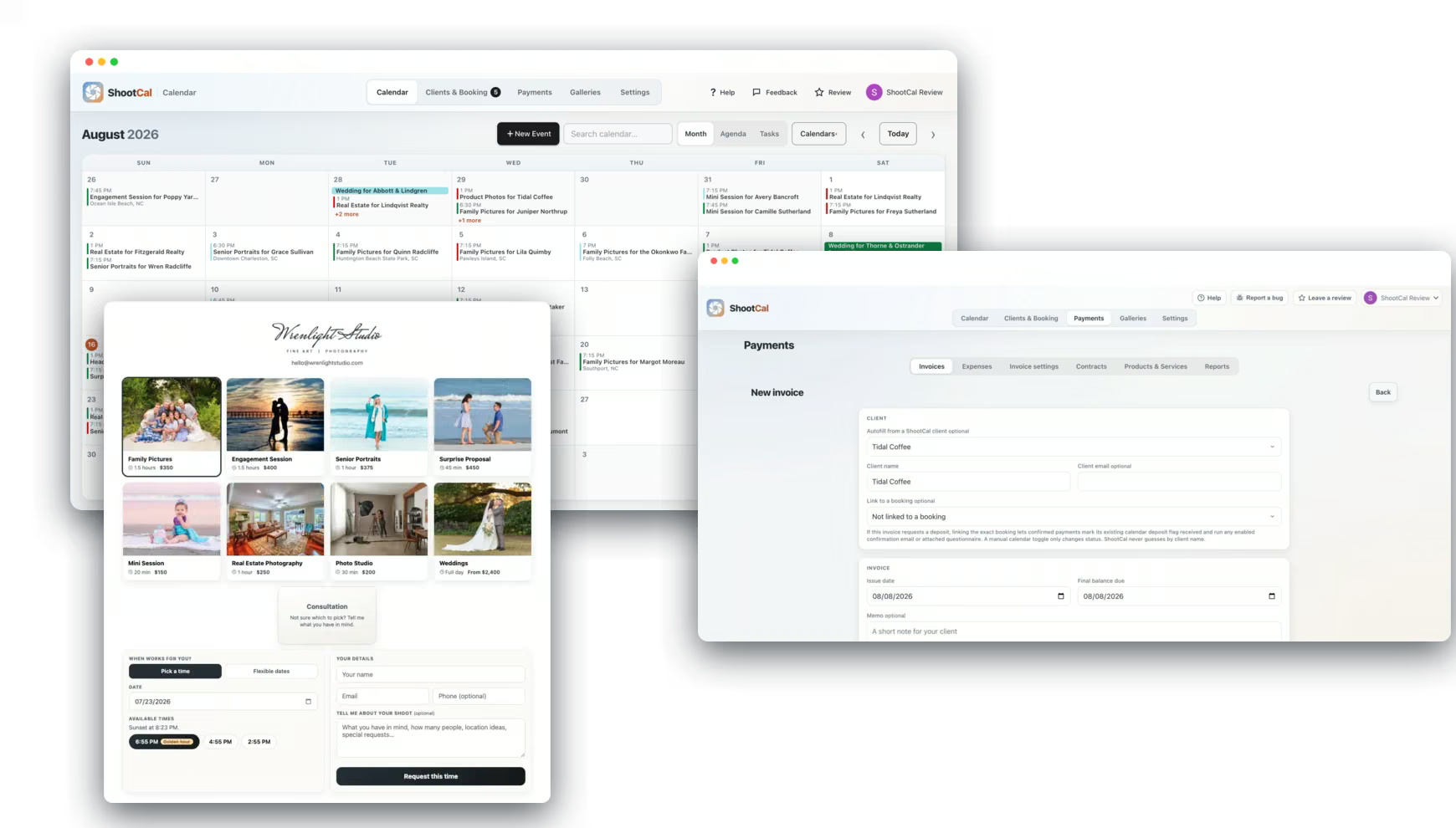
Native Mac and iOS Apps
Use your calendar on your phone or computer
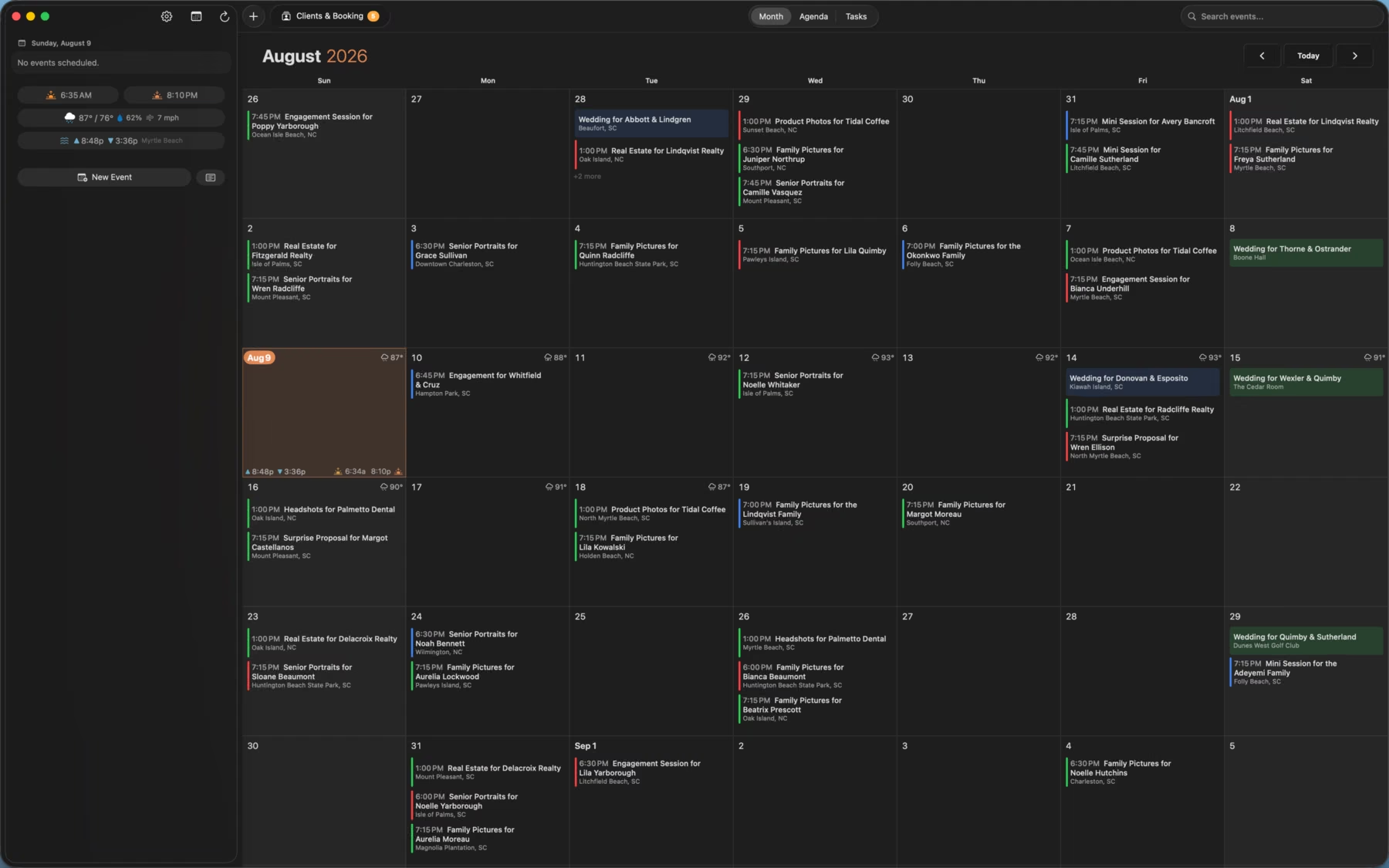
Use ShootCal on Mac, iPhone, iPad, or Android, or open the web app on a Windows PC. Your schedule syncs with the Google Calendar you already use. Switch between the month and agenda views, check the light and weather, and see which bookings still need a deposit.
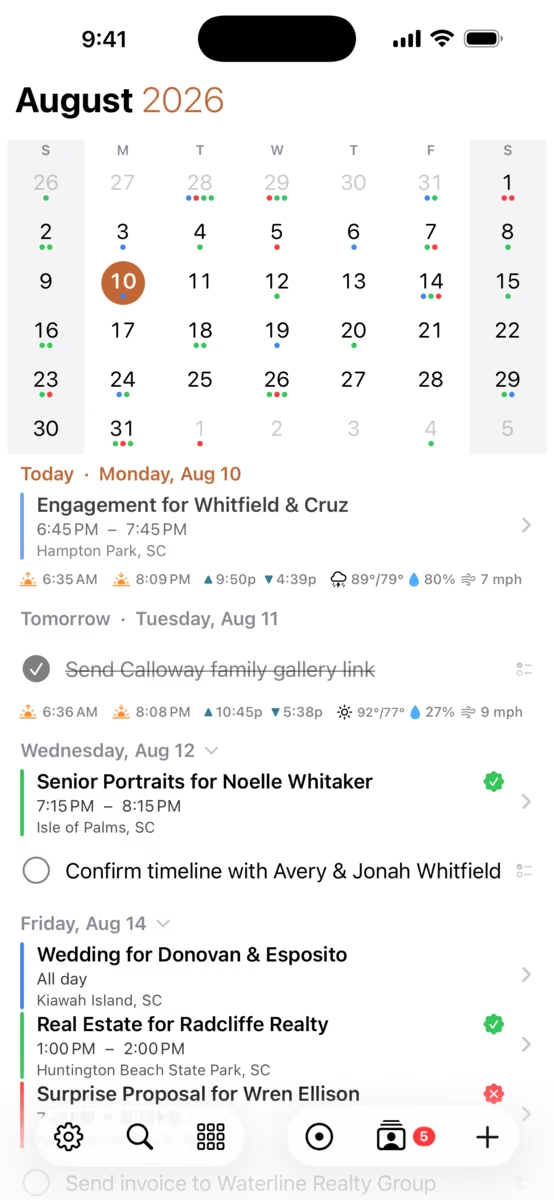
Android app
ShootCal for Android
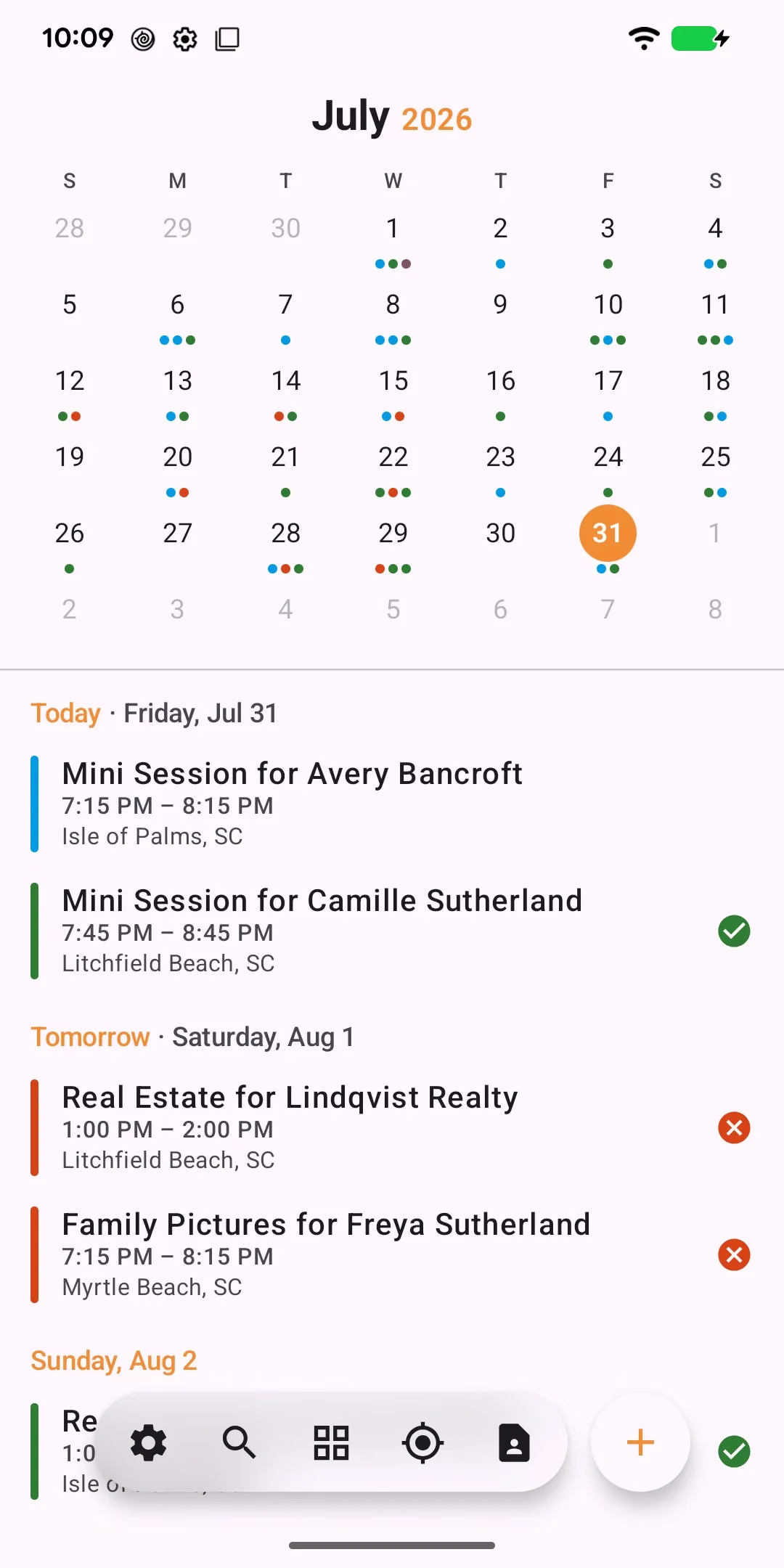
The Android app is available on Google Play. Check your upcoming shoots, session details, sunset times, tides, weather, and deposit status from your phone. You can use the web app on Android too.
The agenda keeps the month and your upcoming sessions together, so it’s easy to check what’s next.
Golden Hour Planning
Know the best time of day for a session
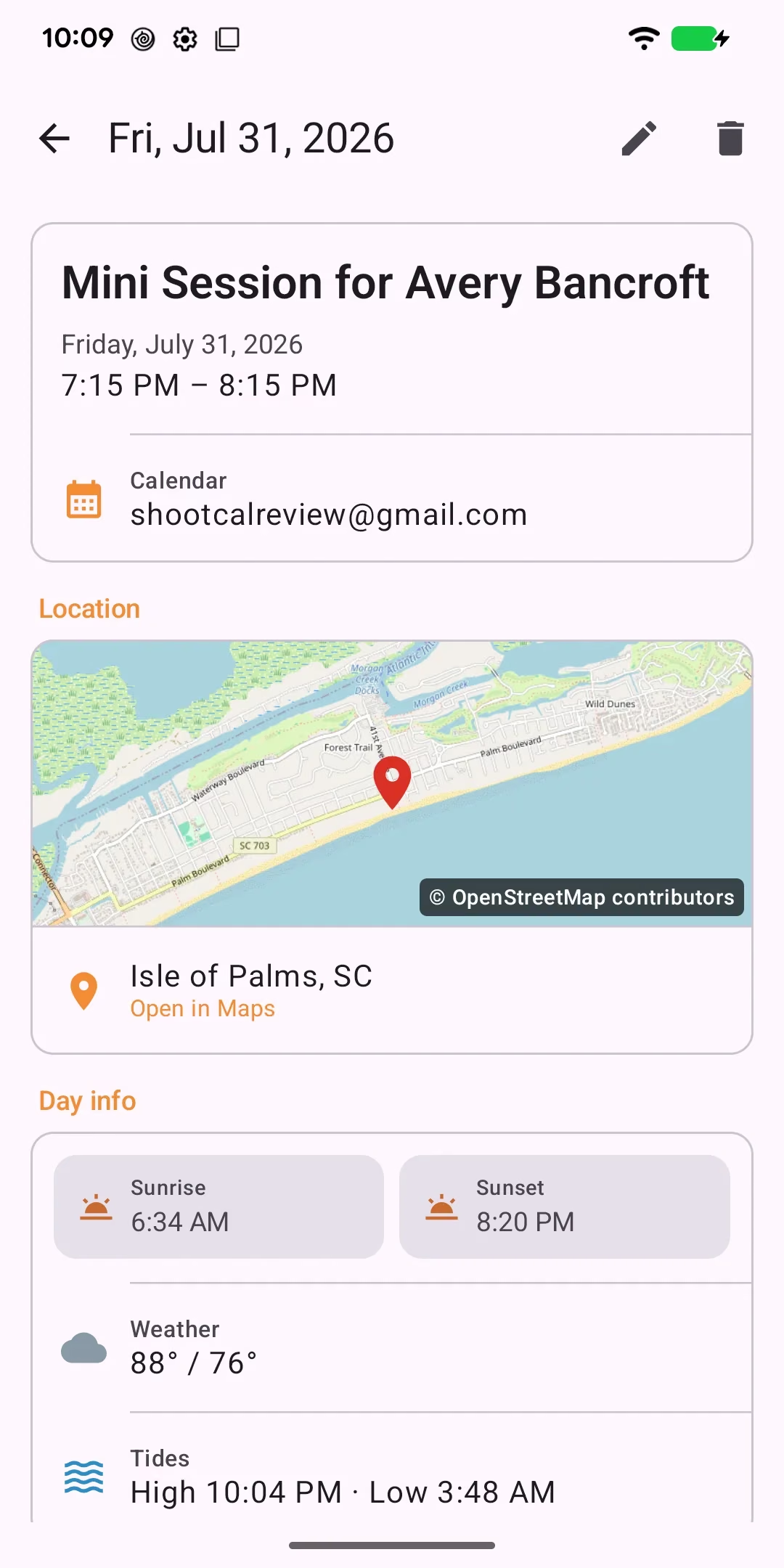
ShootCal shows sunrise and sunset for your location right on the calendar. Choose sunset or sunrise timing for a session type, and the start time follows the light on the date you pick. Tide times are there too when you’re planning a beach session.
AI Assistant
Add a session by just typing it
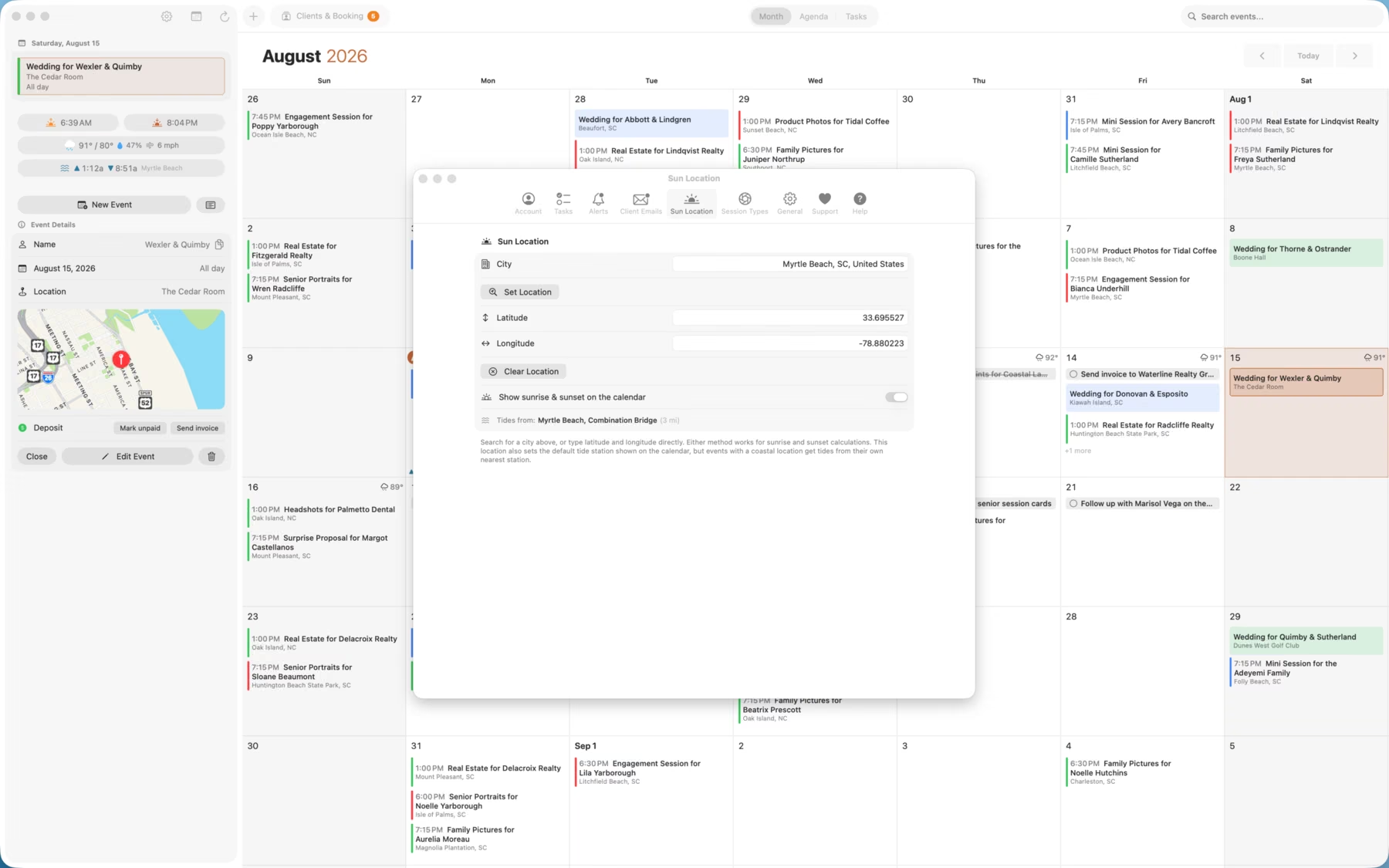
Type “Family shoot for the Andersons at Folly Beach Saturday at sunset” and ShootCal fills in the date, time, location, and client. Check the details before you save. On iPhone, the text is interpreted on your device.
Session Types
Save defaults for each kind of shoot
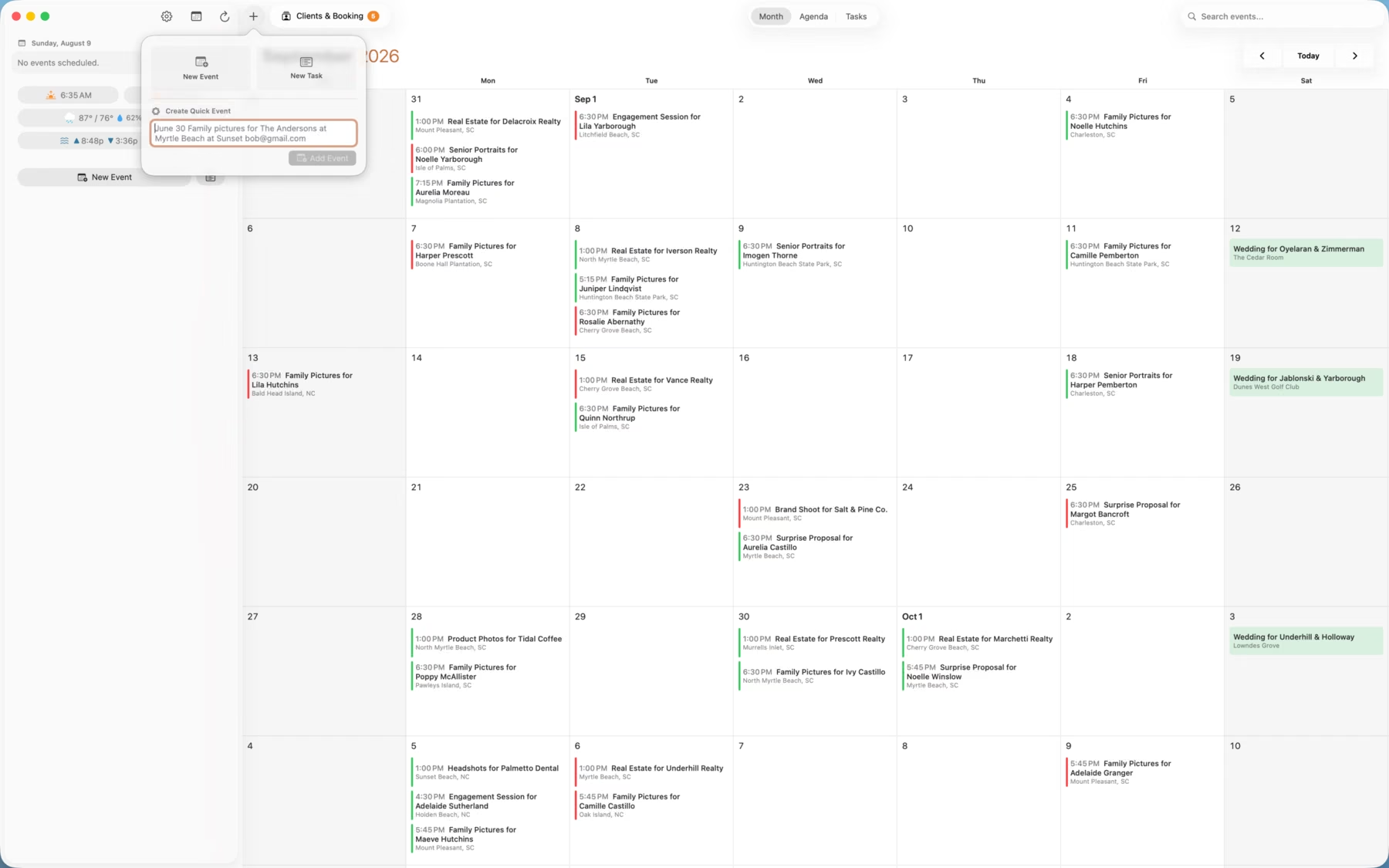
Add your session types with the length, price, and timing you want to use. Family pictures might end at sunset, while studio portraits use set opening hours and a wedding takes the whole day. Set booking limits for each type so clients only see the times you want to offer.
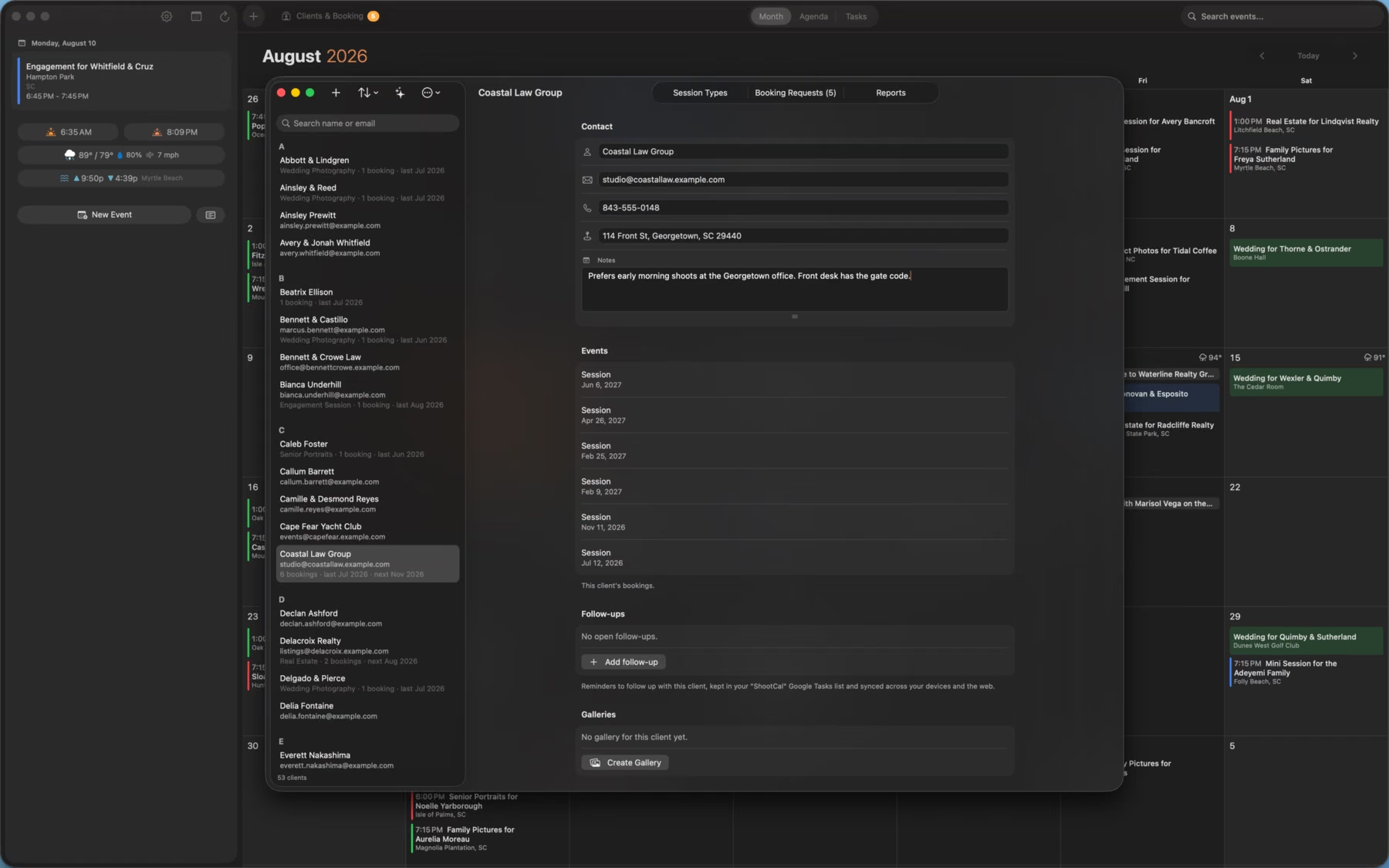
Clients & Booking
Every client, organized
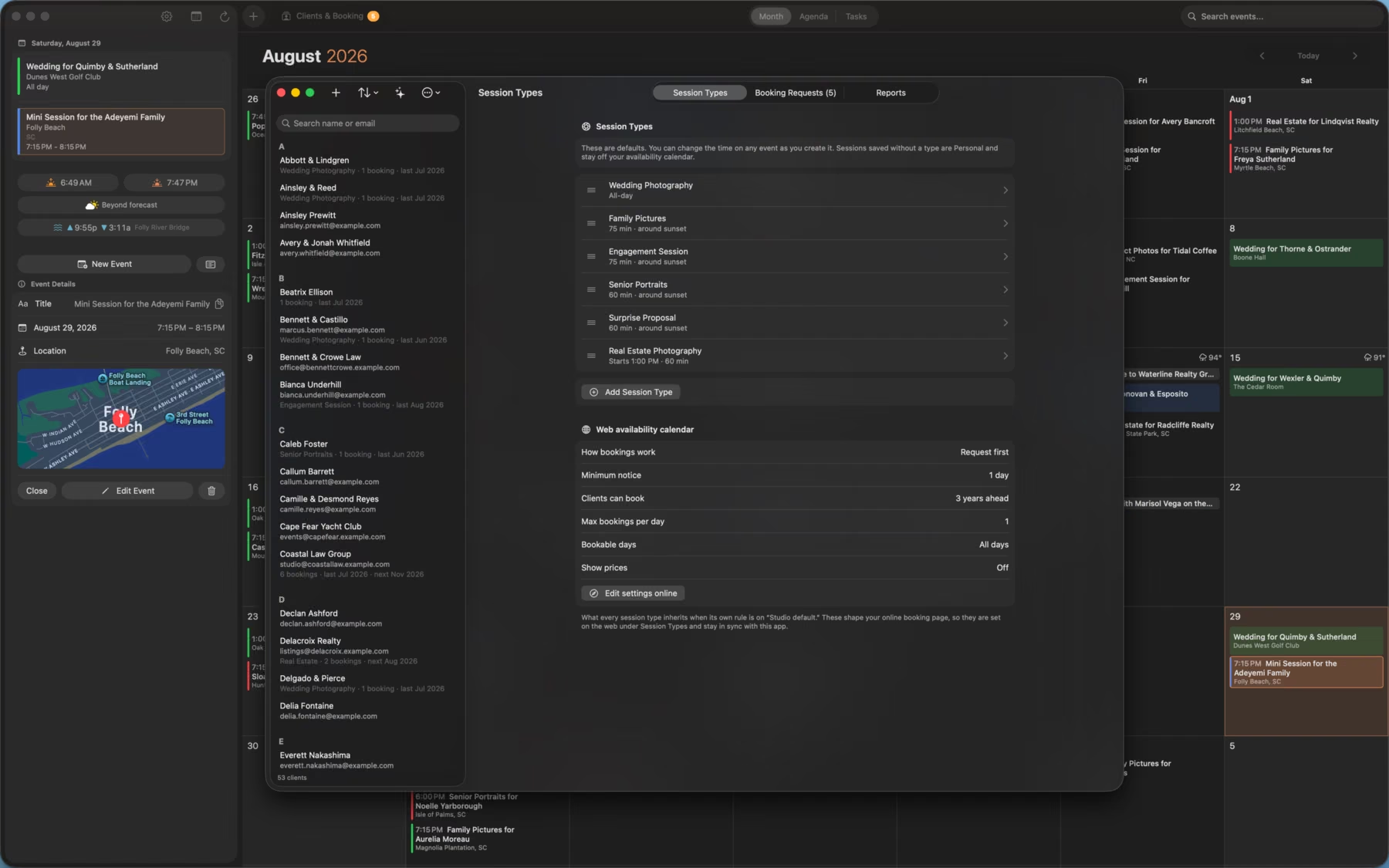
Keep contacts, session history, and last-booked dates in one place, linked to your Google Contacts. See who is booked, who is due for a follow-up, and how many sessions each client has had.
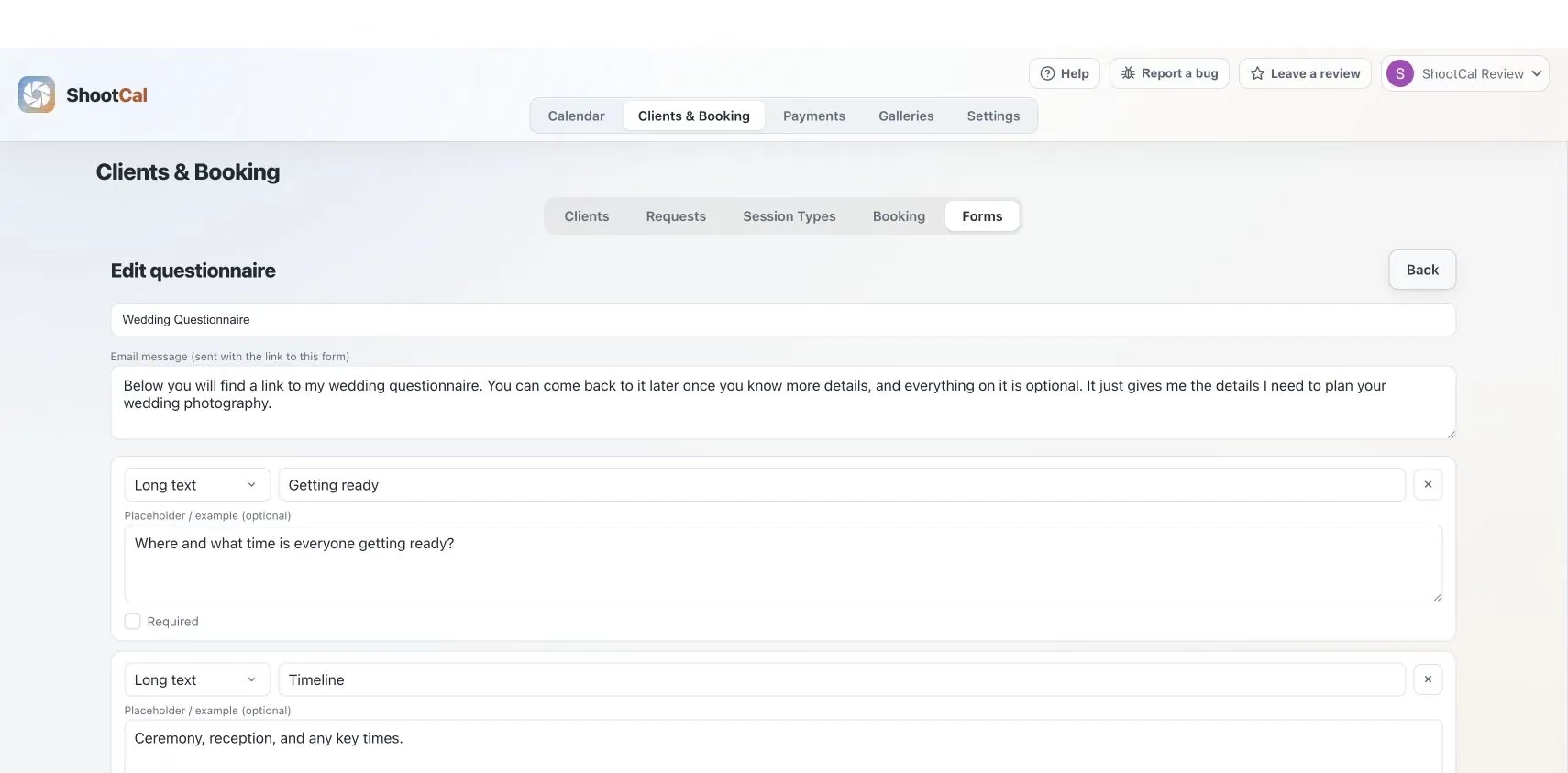
Know your clients
Get the details before the shoot
Create a questionnaire for the details you need before a session, such as the wedding timeline, locations, or family groupings. Send the client a link and keep their answers with the job. Reuse the same questions for future bookings. Read the questionnaire guide →
Availability
Let clients check dates and request a session
Your booking page starts with the session types you offer. Clients pick one to see its open days and times, or send a request with flexible dates. The page follows the weekdays, lead time, and booking limits you’ve set. Client names, locations, and event details stay private.
By default, requests wait for you to accept them before they’re added to your calendar. You can choose instant booking for individual session types. Try the sample studio below; the demo doesn’t send or save a request.
Studio management, built in
Run the business side without leaving your calendar
Import clients from your calendar
ShootCal uses AI to find client details in your past and upcoming Google Calendar events and suggest a client list and session history. Review the suggestions before adding them. The import leaves the original calendar events unchanged.
Contracts your clients e-sign
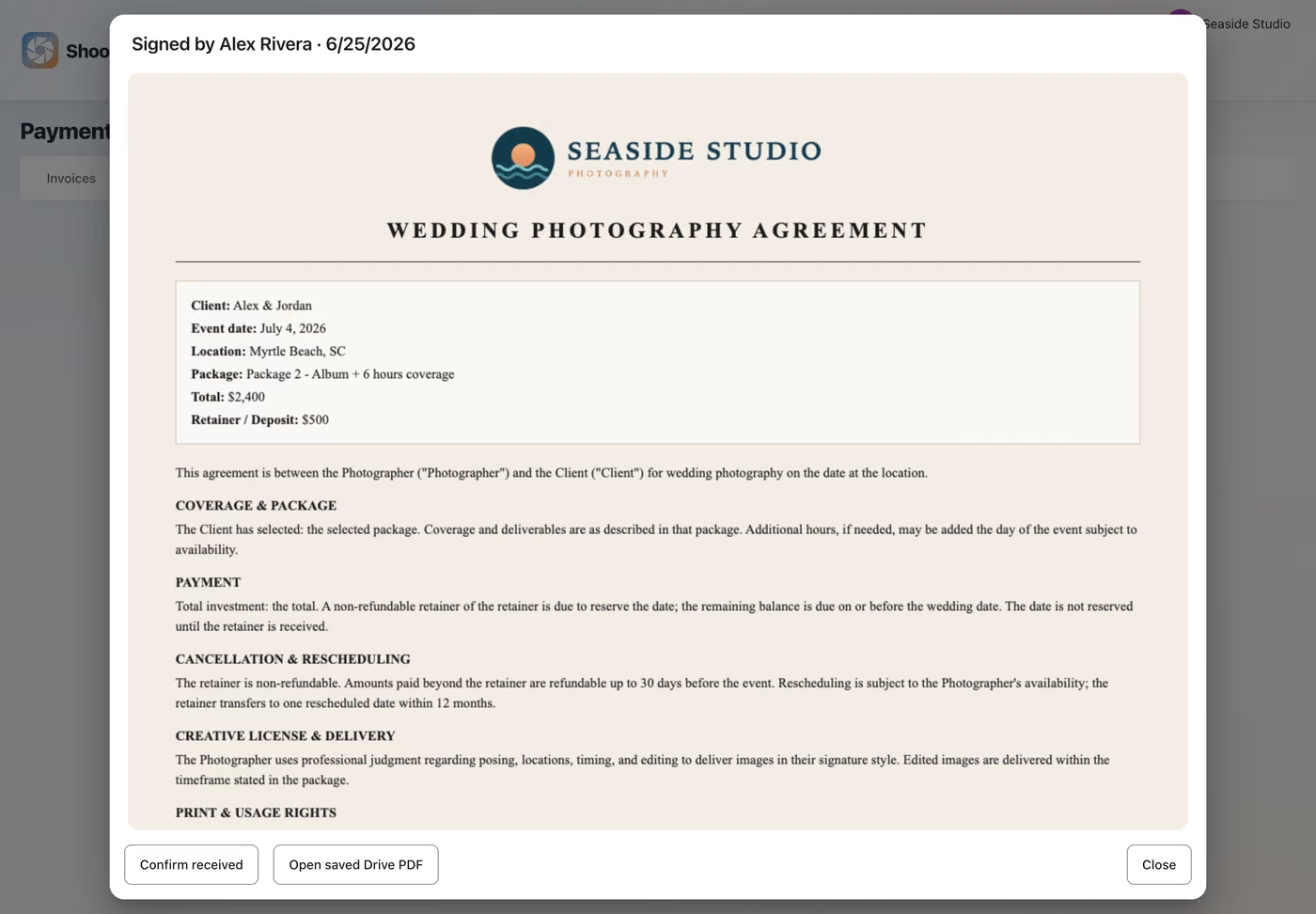
Start with a built-in template or your wording, fill in the client and booking details, and share a signing link. Your client signs in their browser. You receive a notification, and a signed copy is saved to your Google Drive. Templates are a starting point, not legal advice. See how contracts work →
Track deposits and see your numbers
See which sessions have a deposit and which still need one. Mark deposits manually or let a recorded invoice payment update the booking. Review payment and refund history, cash-received and sales-tax reports, and export your records for bookkeeping. See invoices, payments & deposits →
Remind clients automatically
Send a reminder from your Gmail account before a client’s session. Choose how many days ahead it goes out, and use your own wording or start with the included message.
Reply by email, and it’s marked done
When a booking request arrives by email, reply to that message to answer the client. ShootCal marks the request handled and keeps the conversation in Gmail. You can also choose to handle requests in the app.
Follow-ups in your calendar
Add a task from a session, such as delivering the gallery in two weeks. It appears beside your calendar so you can check it off when you’re done. Tasks sync through Google Tasks across your devices.
Payments & Contracts
Professional invoices, included free
Send one invoice for the job, with an optional deposit and the remaining balance. Track payments and refunds, then export the records for your bookkeeping or tax work.
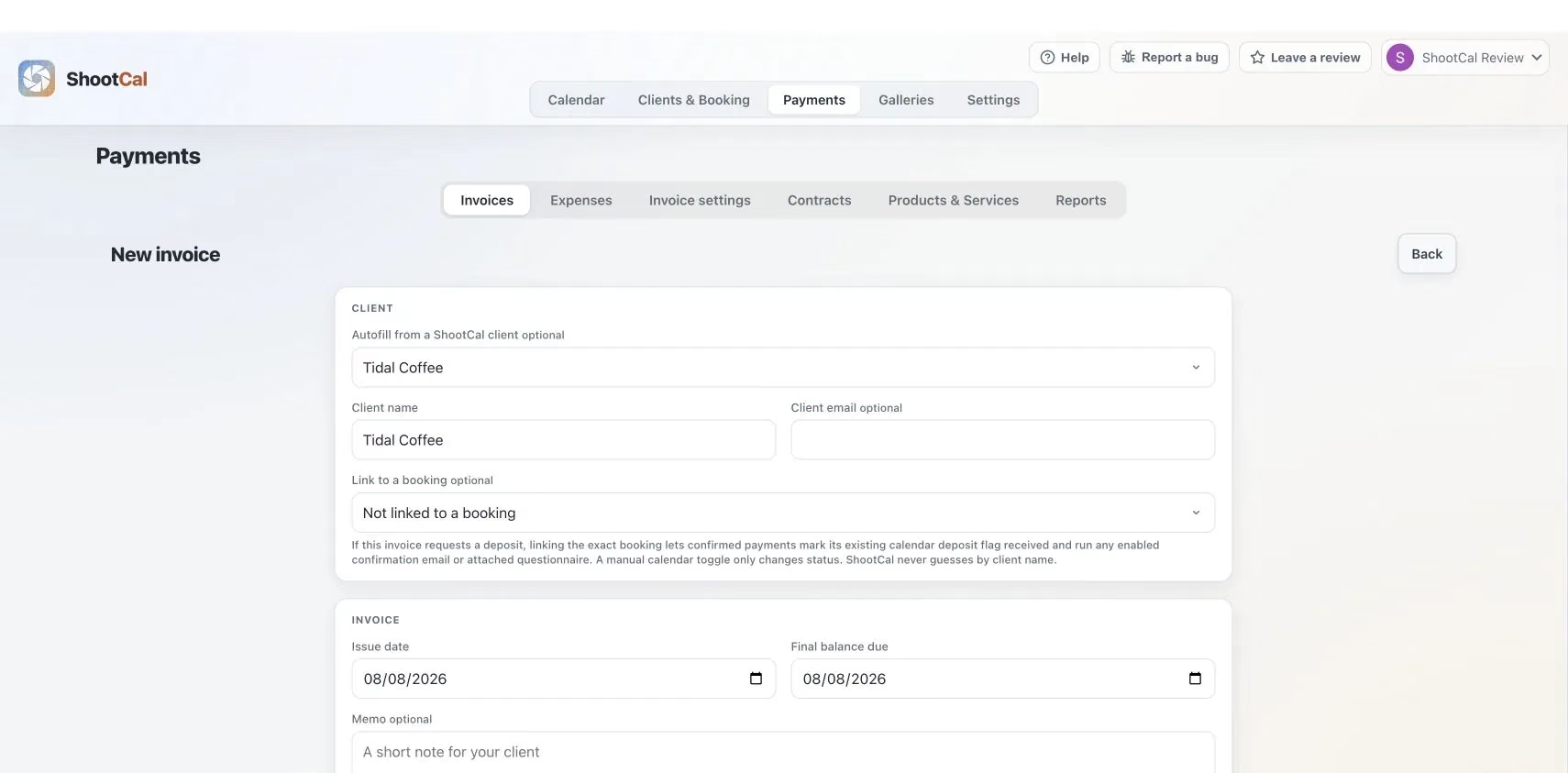
Start from your saved packages
Choose a saved package or add products and services. ShootCal creates one full-job invoice and can use an optional deposit amount before the remaining balance is due.
Sales tax when it applies
Save the sales-tax rates you use and apply the right one to an invoice. You remain responsible for deciding what is taxable and for filing and remitting tax; ShootCal does not do that for you.
Stripe cards and manual options
Accept Stripe card payments or offer Zelle, Cash App, Venmo, check, cash, and custom manual methods. ShootCal adds no payment or platform fee to Stripe invoice payments; Stripe’s standard processing fees still apply.
Payments, refunds, reports, and export
Track payments and refunds, review cash-basis income and sales-tax reports, and export the records for accounting or tax work. Expenses, reconciliation, tax filing, and remittance still belong in your accounting system and with your tax professional.
Deposit tracking, color-coded
Mark a deposit as received and the event turns green in ShootCal and Google Calendar. Red shows a deposit is still pending, so you can see who needs a follow-up.
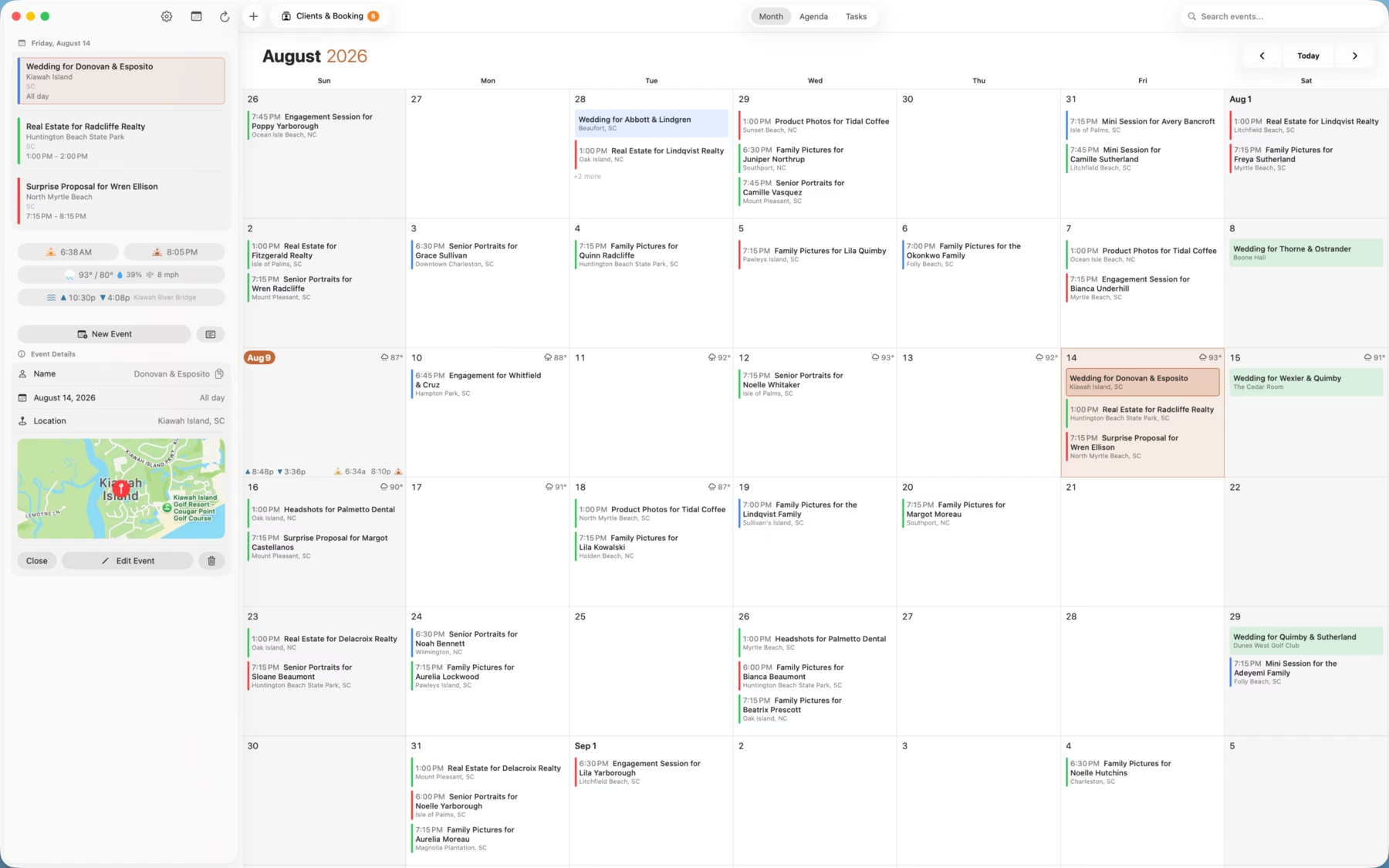
One toggle, green or red
Use Deposit Received to mark whether a client has paid the deposit. The event color updates in ShootCal and Google Calendar. This records the deposit status; the invoice keeps the full payment history.
Deposit-only availability
The public availability calendar shows deposit-paid bookings without exposing client details. Personal appointments and other timed events still block conflicting time slots on the booking page.
Automatic client reminders
Send a reminder from your Gmail account before a client’s session. Choose how many days ahead it goes out, and use your own wording or start with the included message.
Booking reports at a glance
See bookings by type and month, along with received and pending deposits. For confirmed invoice payments, review cash received, refunds, sales tax, and outstanding balances, or download a CSV export.
Professional Contracts
Contracts your clients e-sign online
Start with a built-in template or your own wording, then fill in the client, date, venue, and package. Share the signing link so your client can review and sign in their browser. You receive a notification, and a signed copy is saved to your Google Drive. Templates are a starting point, not legal advice.
Client delivery
Need a place to deliver the finished work?
ShootCal Galleries has its own detailed page covering photo and video delivery, proofing, downloads, branding, and print sales.
Try ShootCal with your own calendar
The ShootCal app is free, and every account includes a Free Galleries studio. You can use the calendar and studio tools without a subscription. Gallery upgrades are optional.
Try the demo with sample data → if you’d like to look around first.
If something would make your work easier, please let me know →.